DESKLAYER WORKSHOP IS LIVE
Discover, subscribe to, and share custom taskbars, widgets, wallpapers, and complete desktop presets through Steam Workshop.
Build your own desktop style, publish it for the community, or apply a new look in one click.
About the Software
DESKLAYER IS YOUR WINDOWS DESKTOP, REBUILT
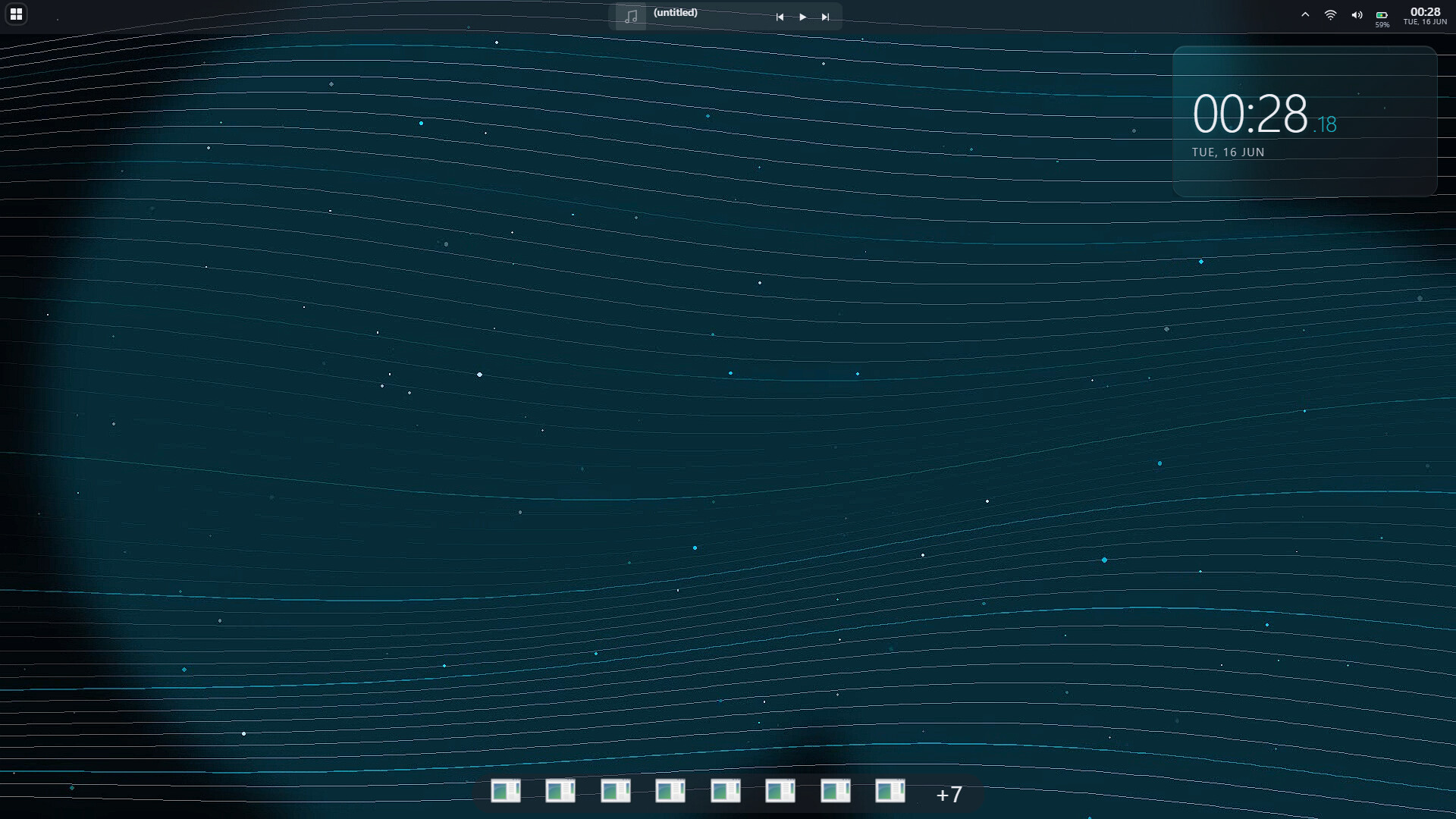
DeskLayer is a Windows desktop customization app that replaces the stock taskbar with a fully editable dock, turns your wallpaper into a live canvas, and lets you place custom widgets anywhere across one or more monitors.
Start with a preset or a blank canvas. Drag, resize, group, nest, style, and animate everything until your desktop works exactly the way you want it to.
WHAT CAN YOU BUILD?
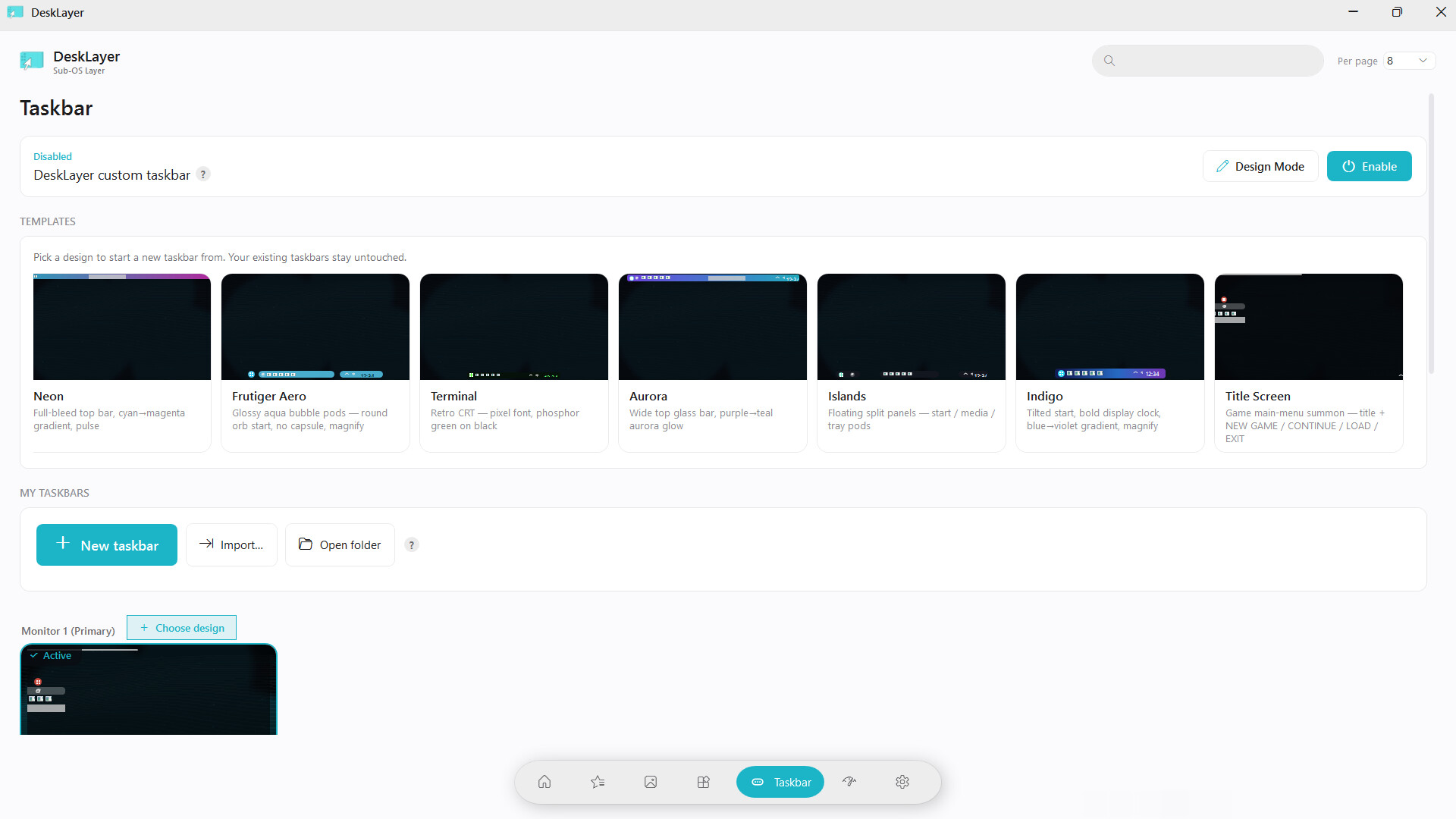
- A custom taskbar: a real Windows-style dock with pinned apps, running apps, grouping, jump lists, previews, Start, Task View, tray controls, media controls, and custom launchers
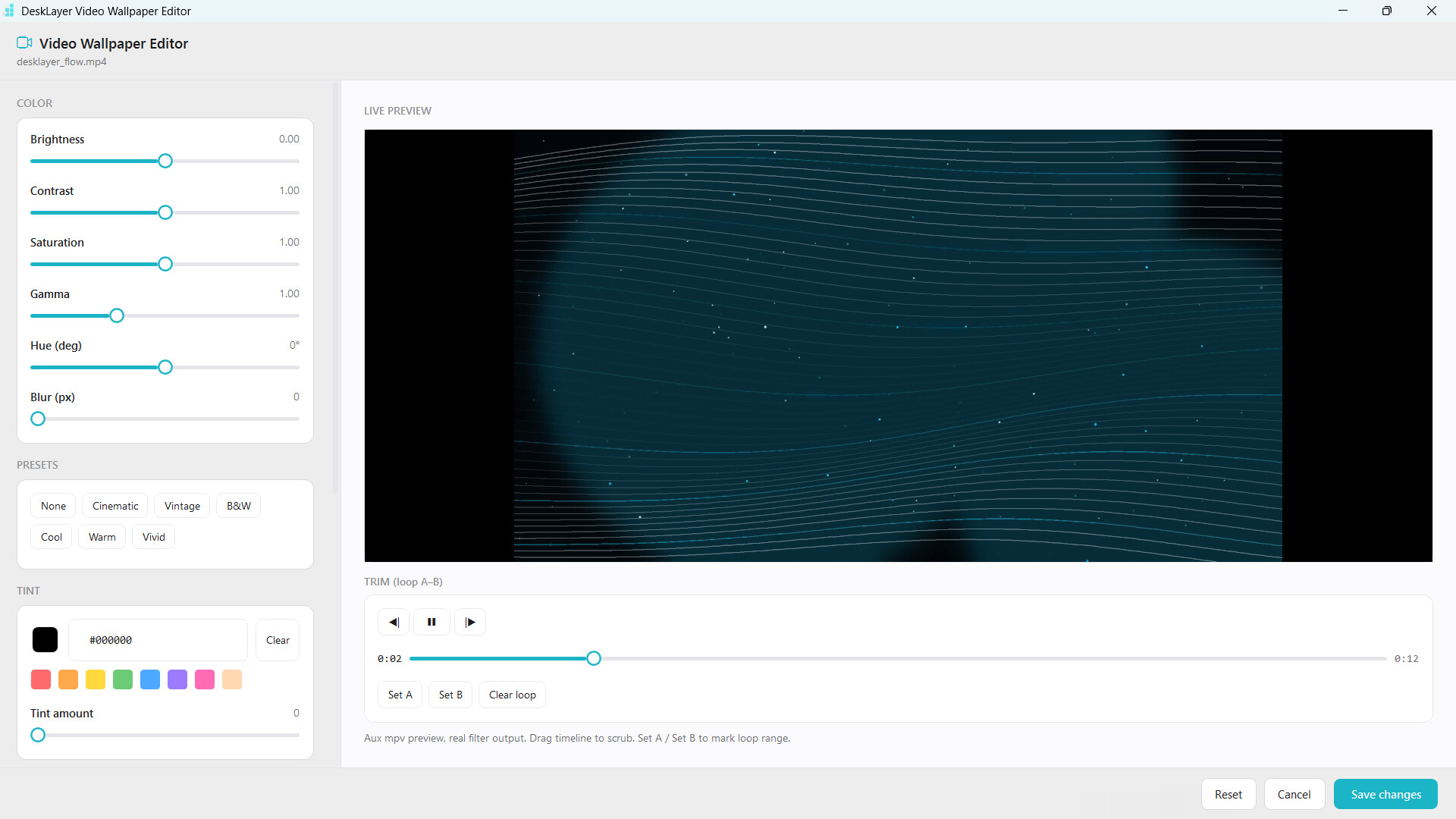
- A live wallpaper setup: video, GIF, image, or interactive HTML backgrounds with live color grading and playback controls
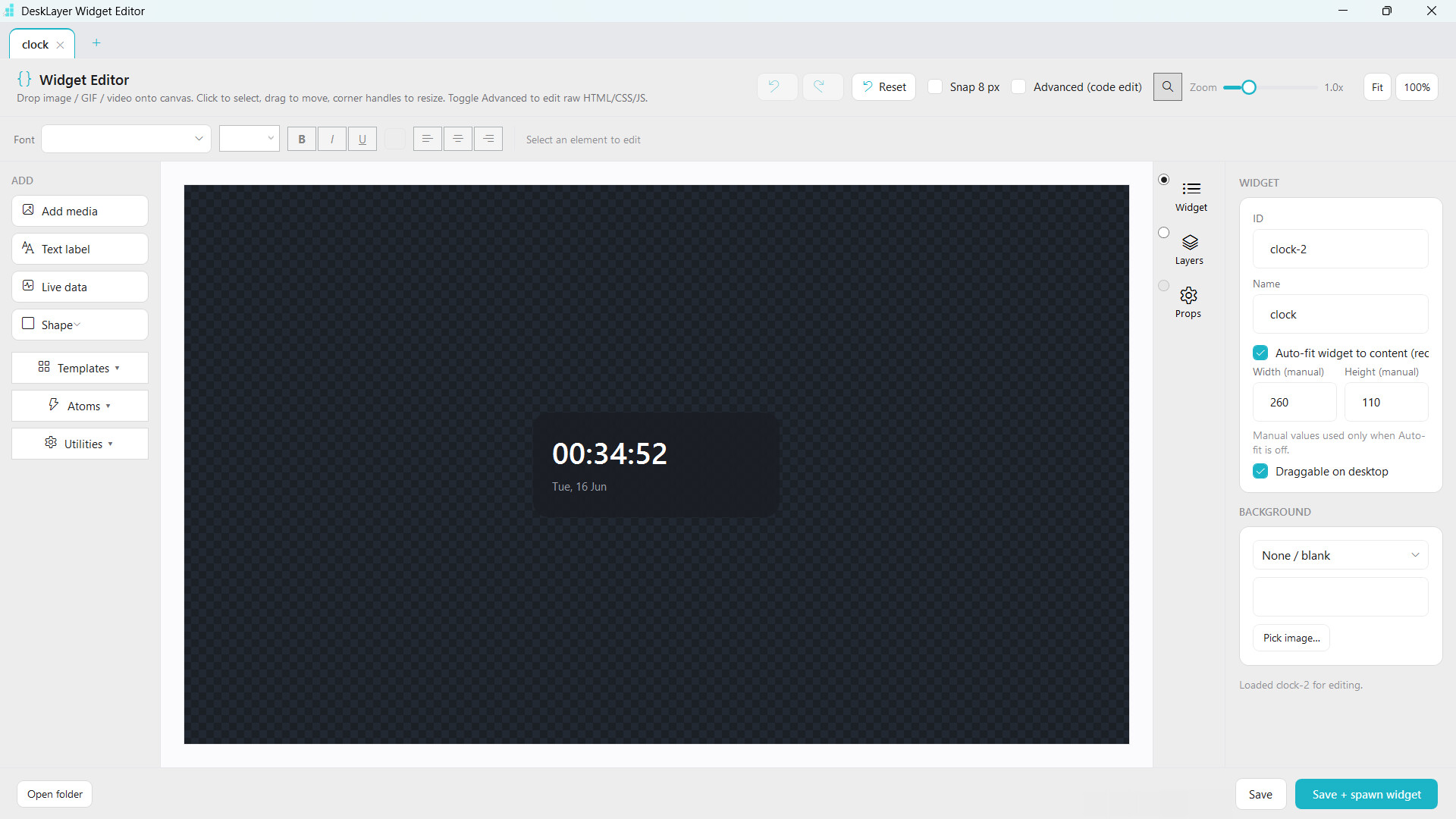
- Your own widgets: clocks, system monitors, weather, now-playing panels, art, stickers, and live-data tiles designed from scratch
- A complete desktop preset: save the whole arrangement and switch between different looks in one click
REBUILD YOUR TASKBAR
DeskLayer draws a floating dock that behaves like a taskbar should, then gives you a visual editor for every part of it.
- Everything is editable: move, resize, group, nest, rotate, and align elements with smart snap guides
- It still works like Windows: launch or switch apps, use right-click jump lists, see hover previews, and keep Windows-style app grouping
- Style every state: customize each app tile's icon, active state, running state, and notification state
- Build your own controls: Start, Task View, Show Desktop, clock, Wi-Fi, volume, battery, brightness, and media controls are separate designable pieces
- Create launchers: pin apps, folders, websites, and commands with custom arguments and icons
- Choose how it behaves: use auto-hide, edge peek, reserved work area, hover thumbnails, pills, panels, gradients, bevels, pixel art, or glass
MAKE YOUR WALLPAPER LIVE
Use video, GIF, image, and HTML wallpapers without opening another app. Browse the built-in gallery or add your own files.
- Tune it live: adjust brightness, contrast, saturation, blur, tint, and vignette while you preview the result
- Control playback: trim, loop, change speed or volume, or freeze a frame to save power
- Keep it light: hardware decoding, adaptive frame rate, and lightweight proxies keep resource usage low
- Let it pause automatically: DeskLayer stops wallpaper playback during fullscreen apps, games, and anti-cheat sessions, then resumes when you return
- Go beyond video: interactive HTML wallpapers can run web-based scenes, effects, and experiences on your desktop
DESIGN WIDGETS FROM SCRATCH
Make the information and artwork you want instead of choosing from a fixed list of presets.
- Use a full visual editor: combine shapes, text, images, GIFs, custom fonts, colors, and alignment tools
- Work pixel-perfect: zoom, pan, magnify, fit to content, and crop directly on the canvas
- Use live values: design with real clock, date, battery, weather, system, and now-playing data—not placeholders
- Create states: change a widget's look or visibility based on what is happening on your PC
- Share your work: export widgets as files and use them on another setup
SAVE, SWITCH, AND SHARE COMPLETE SETUPS
A preset remembers more than colors. It captures the desktop you designed so you can return to it instantly.
- One-click switching: save and apply wallpaper, taskbars, widgets, layouts, pinned apps, and dock behavior together
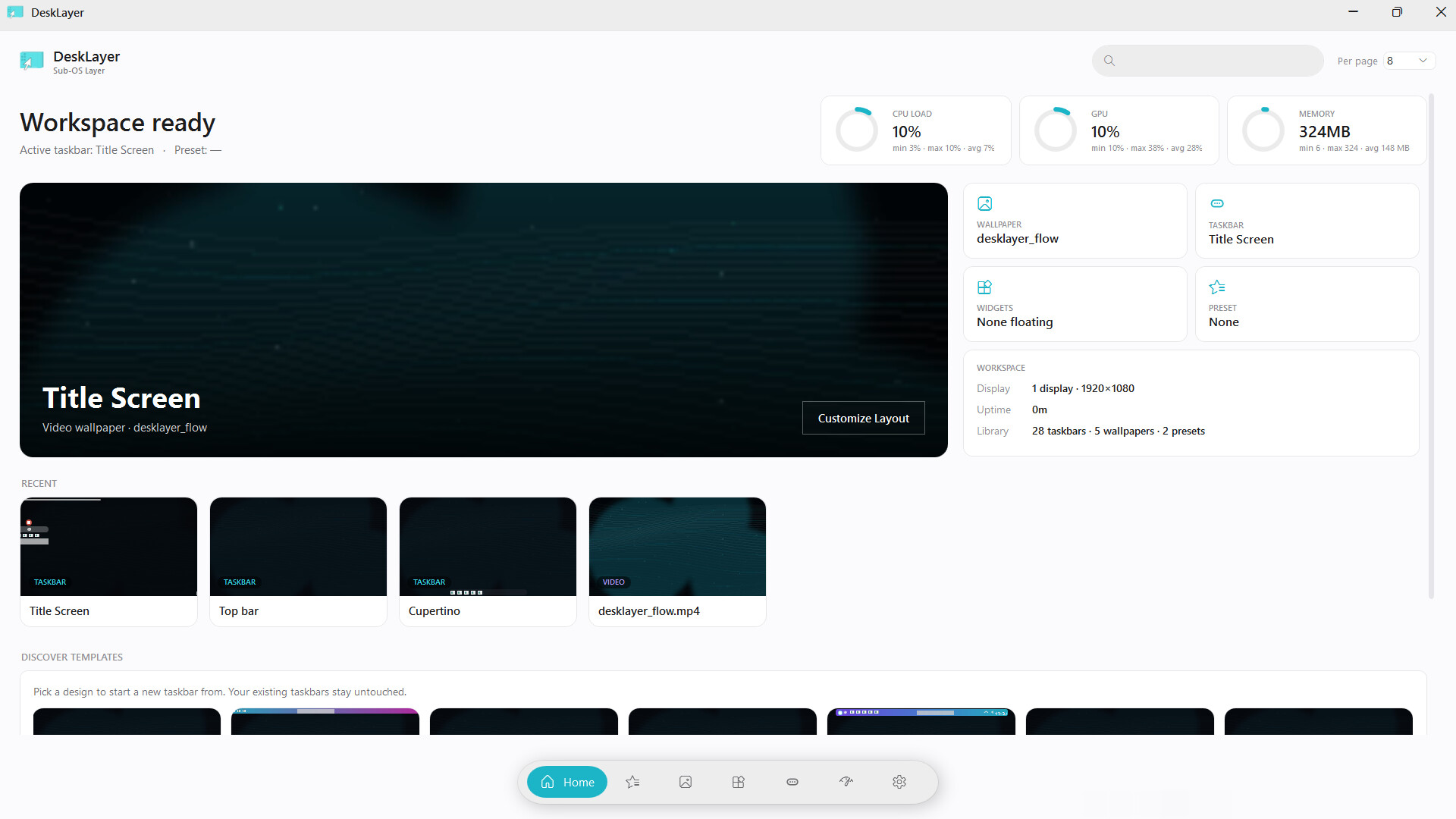
- See your library: browse live thumbnails, running badges, quick actions, and your saved looks in one place
- Share a complete design: export presets and widgets as files for friends or future installs
- Preview before applying: inspect a setup in the built-in sandbox, including its wallpaper, widgets, and multi-part dock
DESIGNED FOR MULTI-MONITOR DESKTOPS
One monitor, one bar, or a whole multi-screen workspace—DeskLayer scales with your setup.
- Place as many bars as you want on the top, bottom, or side of any monitor
- Give every monitor its own taskbar, wallpaper, widgets, and behavior—or mirror your main design with one toggle
- Edit a bar directly on the desktop at full size, exactly as it will appear
- Reserve real screen space so maximized windows never cover your bars
- Stay hot-plug aware when monitors are connected or removed
COMMUNITY DESIGNS WITH STEAM WORKSHOP
Browse, preview, subscribe to, and apply community-made presets, taskbars, widgets, and wallpapers from inside DeskLayer.
Preview designs across common aspect ratios before applying them, or publish your own work as a shareable package with thumbnails and metadata.
BUILT FOR EXPERIMENTING
Nothing is locked. Start from a preset or a blank canvas, undo freely, and keep iterating until the desktop feels like yours.