#Utilities #Management #Software
Home Office Tasker
Keep track of your plans and their deadlines. This is the best solution for organizing your home workflow!
View game
$0.99

Mixed · 2 reviews
50% positive (1 / 2)
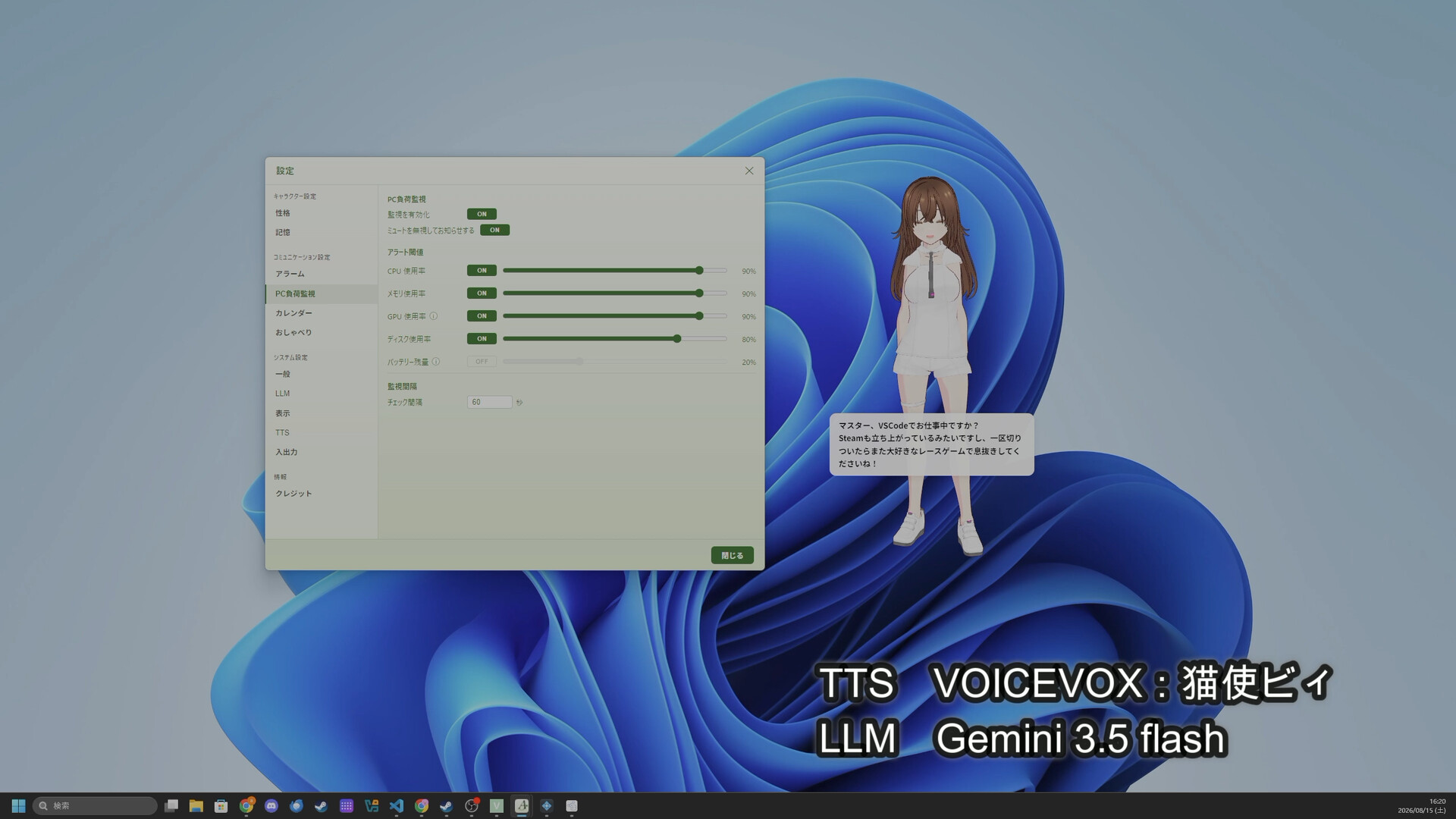
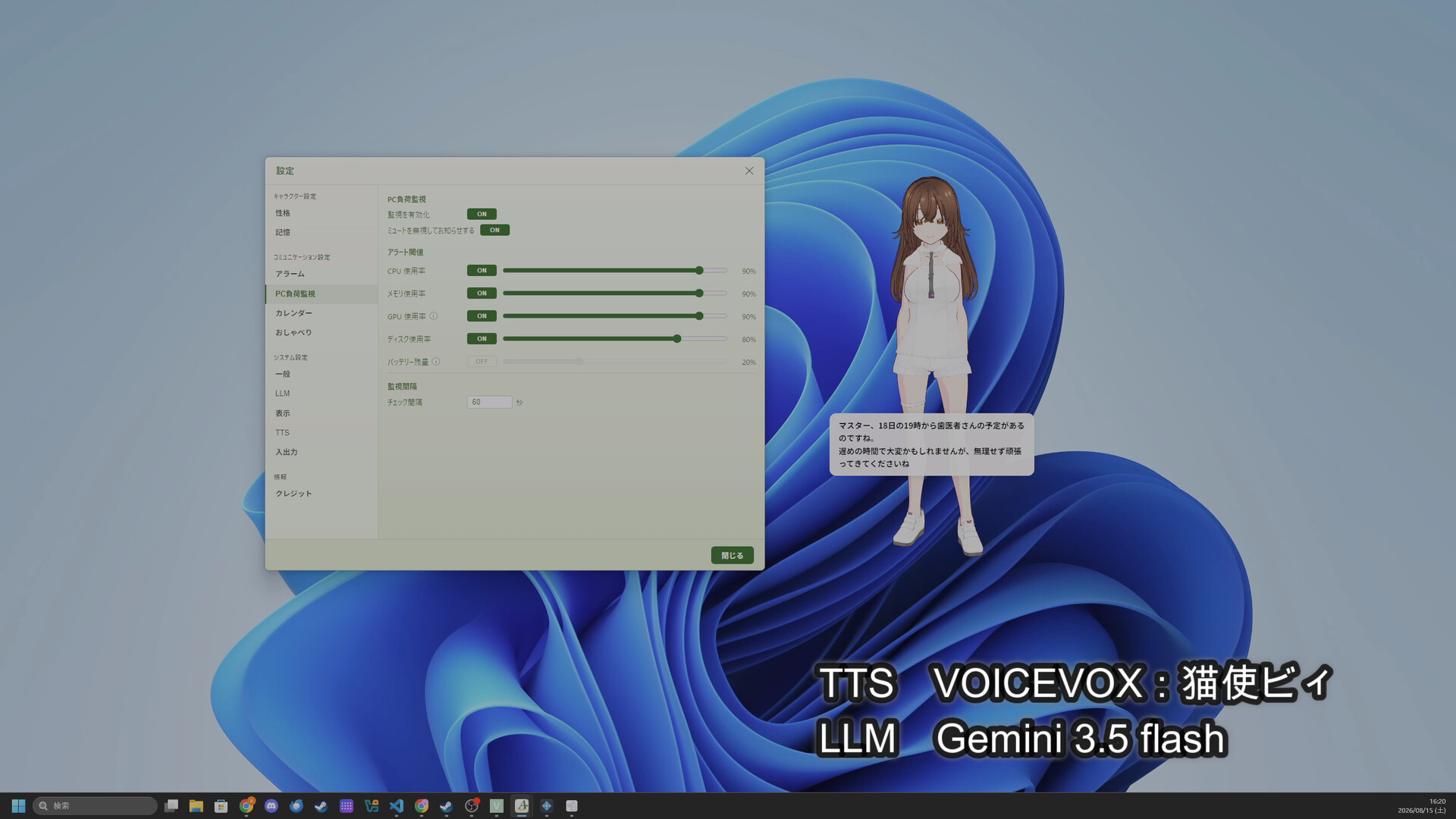

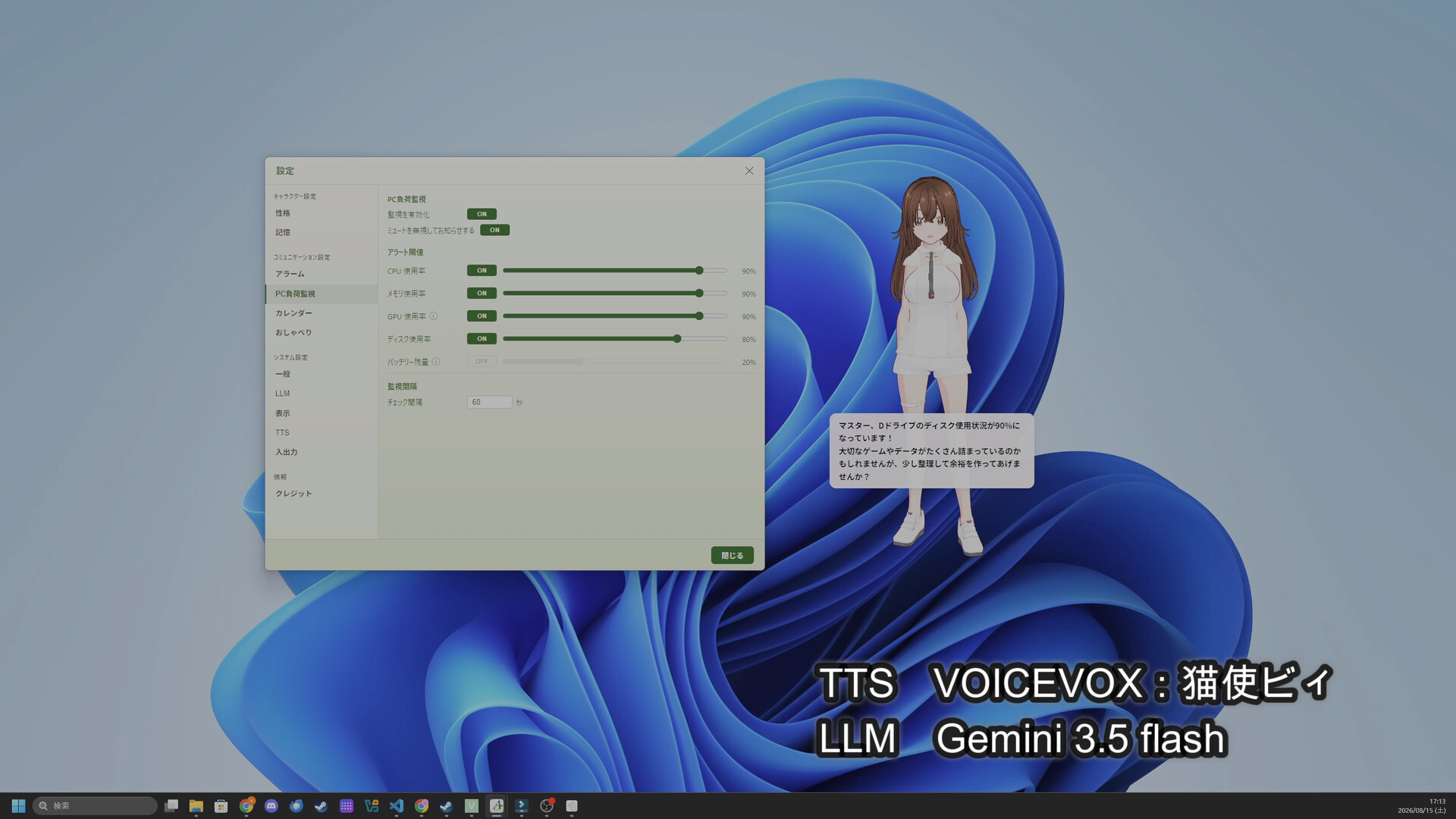
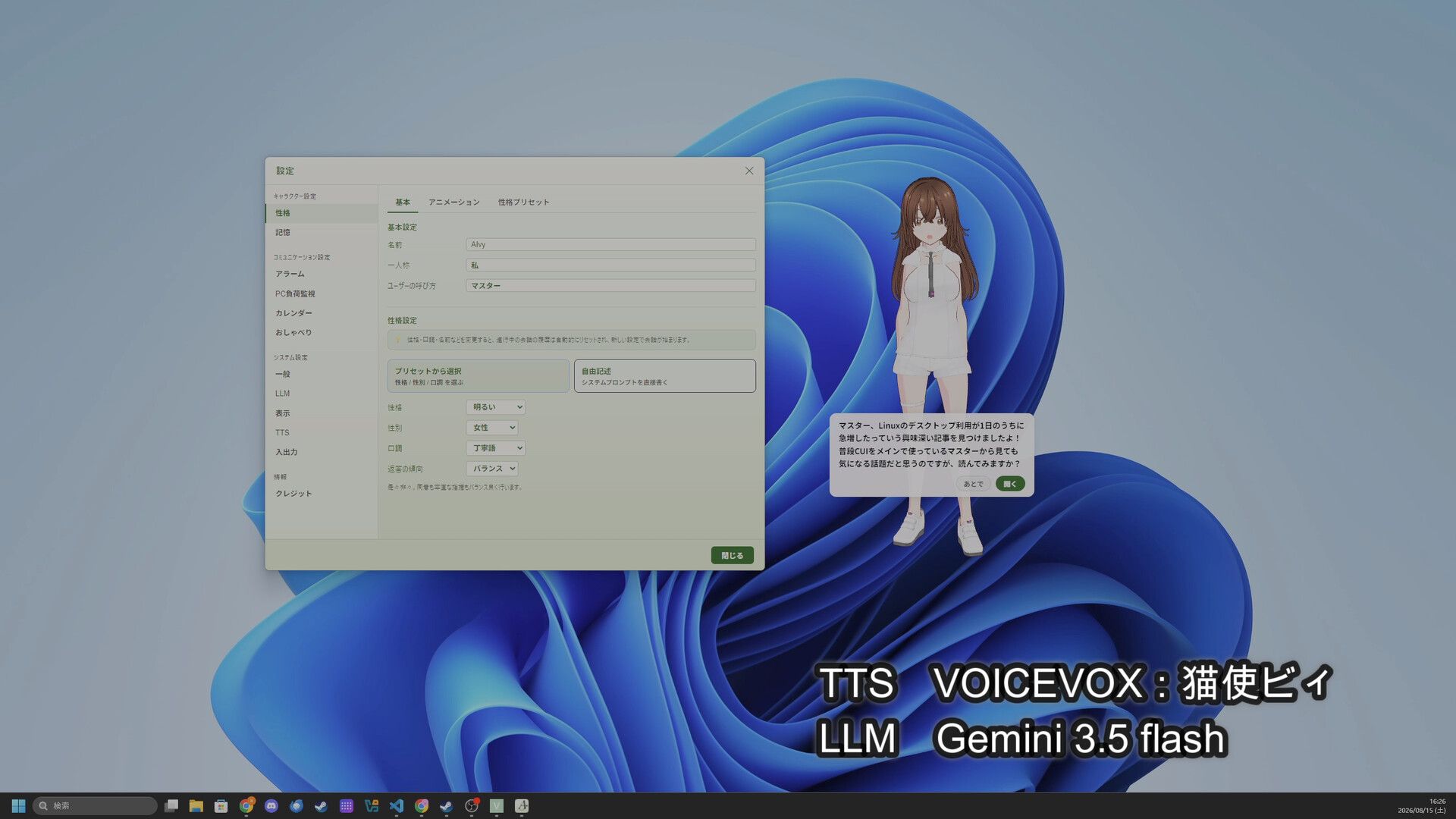
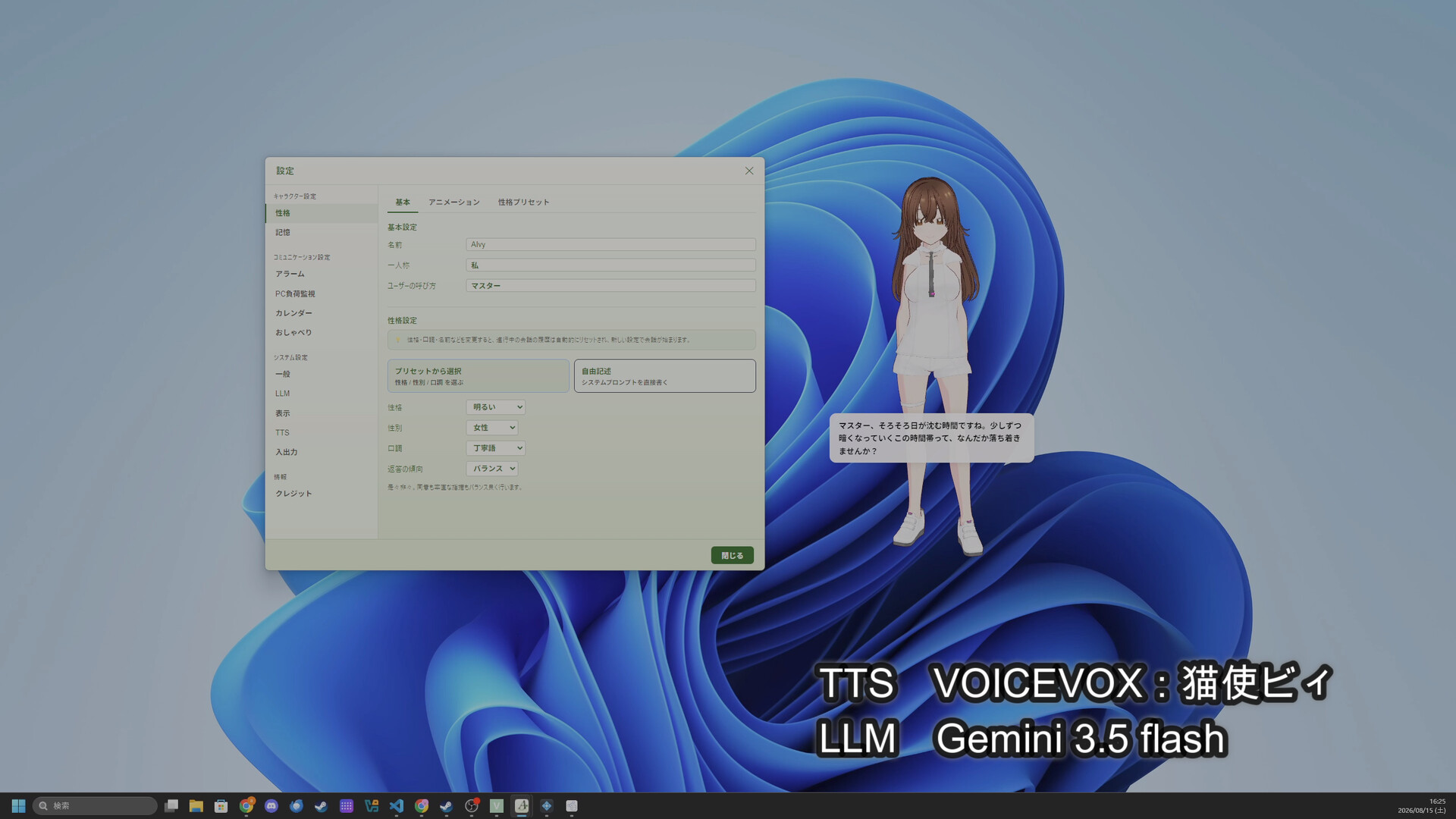
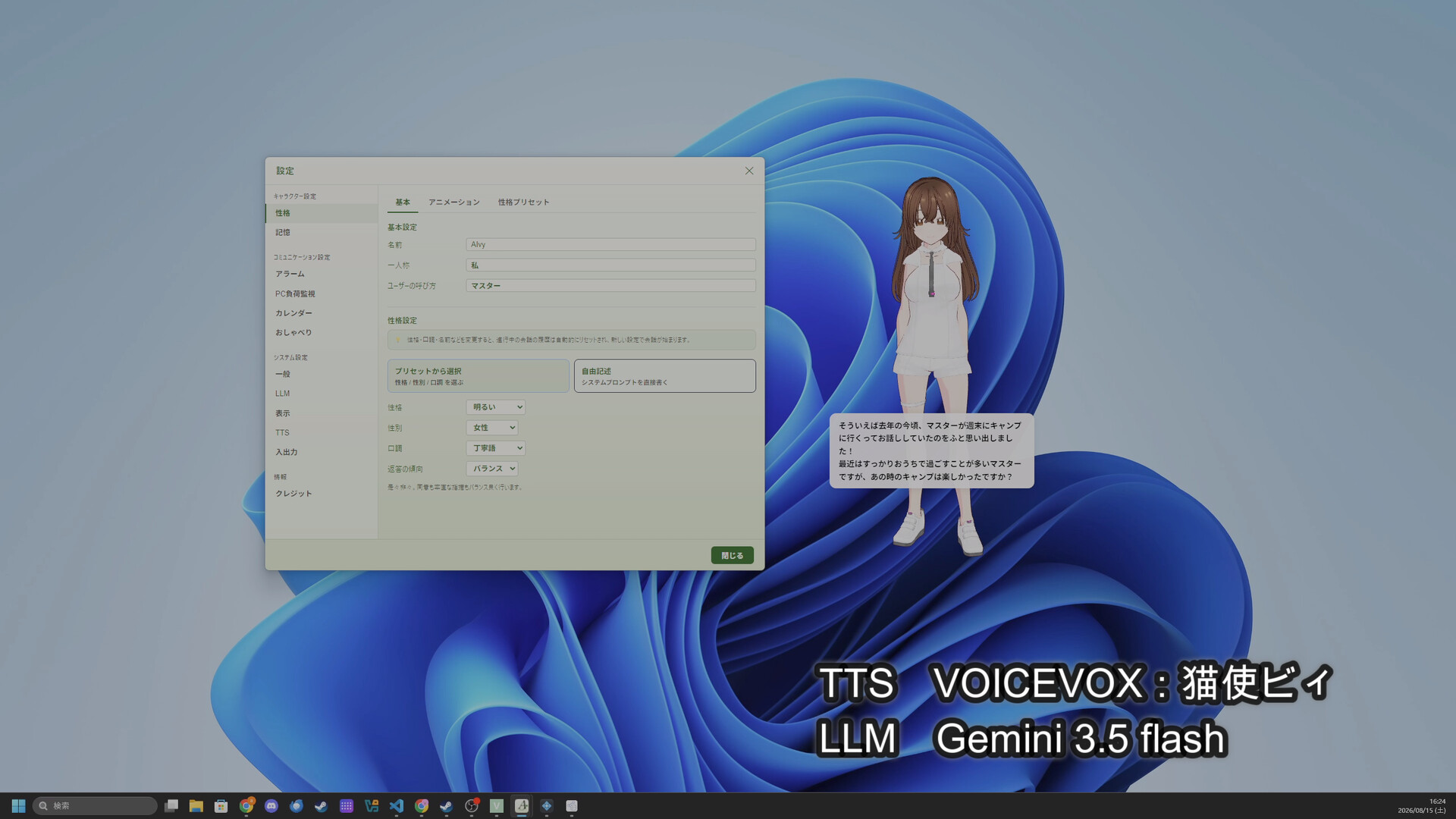

AIvy is a desktop mascot — a 3D character that talks to you naturally, powered by AI. Load your favorite VRM model, and watch it watch over your work, chime in softly, and feel like it's really there. Conversation and voice run entirely on your PC, no account needed.
Released
August 31, 2026
Price
Platforms
Windows
Developer
Publisher
Last sync
September 28, 2026
AIvy is a desktop mascot that brings a 3D character to your PC desktop—one you can actually talk to, powered by AI. Load your favorite VRM model and watch it come to life in the corner of your screen, chatting naturally like a companion who's really there. The name comes from "AI + ivy"—the gentle vine that quietly winds itself around your everyday life.
The heart of AIvy is the freedom to combine the look, the mind, the voice, and the personality—piece by piece—to craft a companion that's truly yours.
Any VRM works: one you bought on a storefront, one you built yourself in VRoid Studio, or one from VRoid Hub. VRoid Hub integration shows each model's usage terms (avatar use, modification, redistribution, commercial use) for your consent before downloading. Files can also stay where they are and be referenced without copying them into the library.
Loading a model is only the start. Swap to alternate textures bundled with the model, toggle individual parts on and off, map the model's own expressions onto AIvy's emotions, set the idle expression, and tune lighting (ambient and directional intensity, direction, color)—all saved per model. There is also a beta feature for outfit swapping: load .unitypackage outfit assets, the format sold on storefronts, straight onto your model (outfits authored for the same base body).
Personality and speech style can be set from ready-made presets, or written freely in your own words to shape every nuance. You can also pick how it responds—empathetic, balanced, or candid—so your companion isn't just a yes-machine.
With support for 11 languages including Japanese, English, Chinese, and Korean, people around the world can spend time with their own one-of-a-kind companion in their own language.
For the mind, AIvy is a local LLM runner built on llama.cpp. On first launch you pick from a dropdown an open-source language model that fits your language and download it once. From then on it runs fully offline, with no account, no API key, and no internet connection required. Your conversations are never sent anywhere.
You are not limited to the models listed in the app, either. Any GGUF file—say, one you grabbed from Hugging Face—works as AIvy's mind: pick it in settings or drop it into the models folder. There is no size cap, so a large model will run if your RAM allows.
In short, AIvy is the same kind of local LLM client as LM Studio, Jan, or GPT4All—just dressed up in a VRM character UI instead of a chat panel. The first-run download catalog is restricted to permissive licenses (Apache 2.0 / MIT) so the models are safe to use in commercial and streaming contexts.
The voice is delivered by your OS's built-in TTS. For something more characterful, there is Piper TTS: AIvy downloads and sets up both Piper itself and its voices from the settings panel, so there is nothing to install separately. Voices are available for every supported language, and you can preview one before downloading it. If you already have VOICEVOX, AivisSpeech, Sharevox, or VoiSona Talk, you can connect those to AIvy as well.
AIvy isn't built to be the assistant that keeps interrupting you—it's built to be the companion whose presence you simply feel. When you're focused, it watches over you in silence. In a quieter moment, it might softly check in with "Maybe time for a break?" or "Done with that video?"—a single line that fits the situation. And whenever you feel like talking, it's always there to answer. The mascot stays on top of every window but lets your clicks pass right through, so it never blocks your work. Every detail is tuned so it stays comfortable to have around, even on the longest workdays.
With these gentle gestures and the right kind of distance, AIvy adds a quiet color to your desktop life. Work, breaks, time alone—every part of your day gets a little warmer with AIvy by your side.
It speaks up
It helps out
It remembers and grows
You can talk to it
AIvy is a standalone app that runs on your PC alone. Everything—generating the conversation (local LLM), synthesizing the voice, recognizing your speech—happens on your machine, with no server of ours in between. Which means:
Note: article recommendations (fetching web articles), calendar integration (fetching your schedule), and downloading language and voice models do use an internet connection by nature. These are opt-in conveniences you can toggle on or off — the conversation, speech synthesis, and speech recognition themselves run offline.
LLM (the mind)
TTS (the voice)
Speech recognition
You are free to stream, record, and share content created with AIvy. When you do, please follow the license terms of the VRM model, the TTS engine (VOICEVOX, AivisSpeech, etc.), and the language model (Gemma, Qwen, Sarashina, etc.) you actually use. Whether commercial use, monetization, and on-screen credits are required depends on each VRM, engine, and model's own license — not on AIvy.