#AudioProduction #Funny #Memes
Soundgun
Play your own sounds through your microphone using hotkeys or an interactive overlay. Connect your phone via Bluetooth to play any audio directly into voice chat.
View game
$9.99$7.49
 -25%
-25% No user reviews · 0 reviews

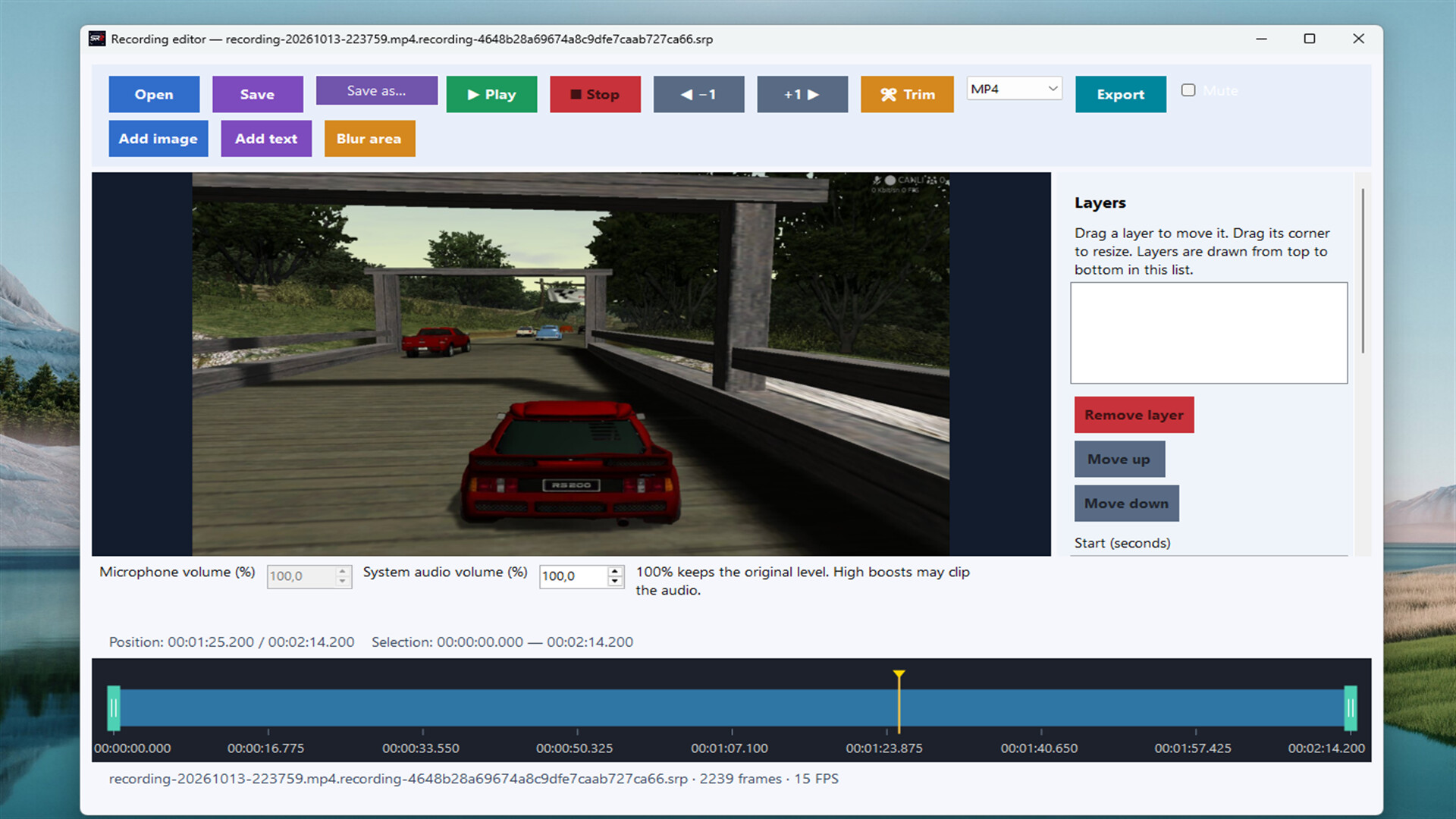
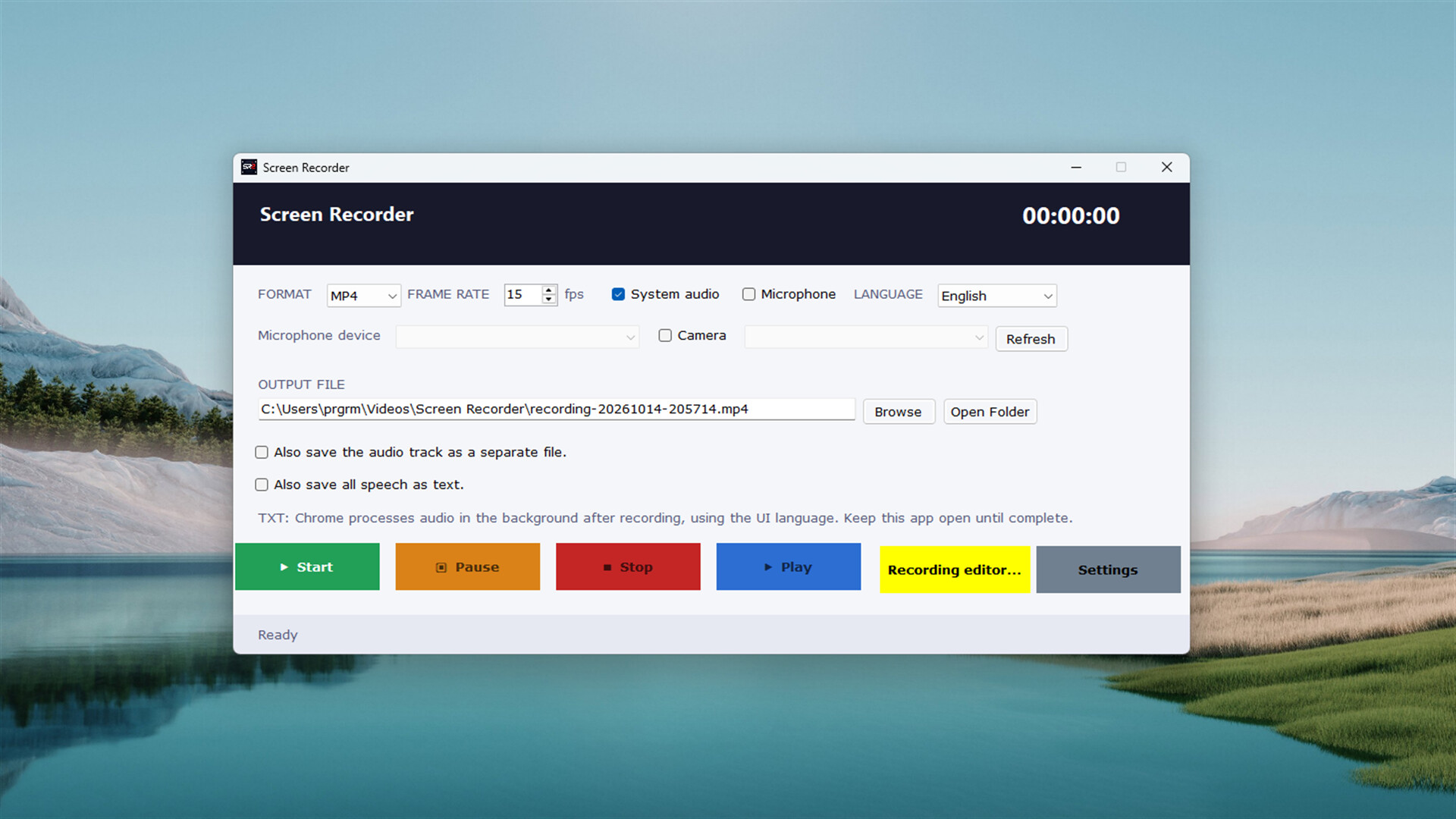

Record games, your desktop or a selected window. Keep video and audio in an editable project; trim your recording, add images and text, blur selected areas and export in nine formats.
Released
October 14, 2026
Price
Platforms
Windows
Developer
Publisher
Last sync
October 15, 2026
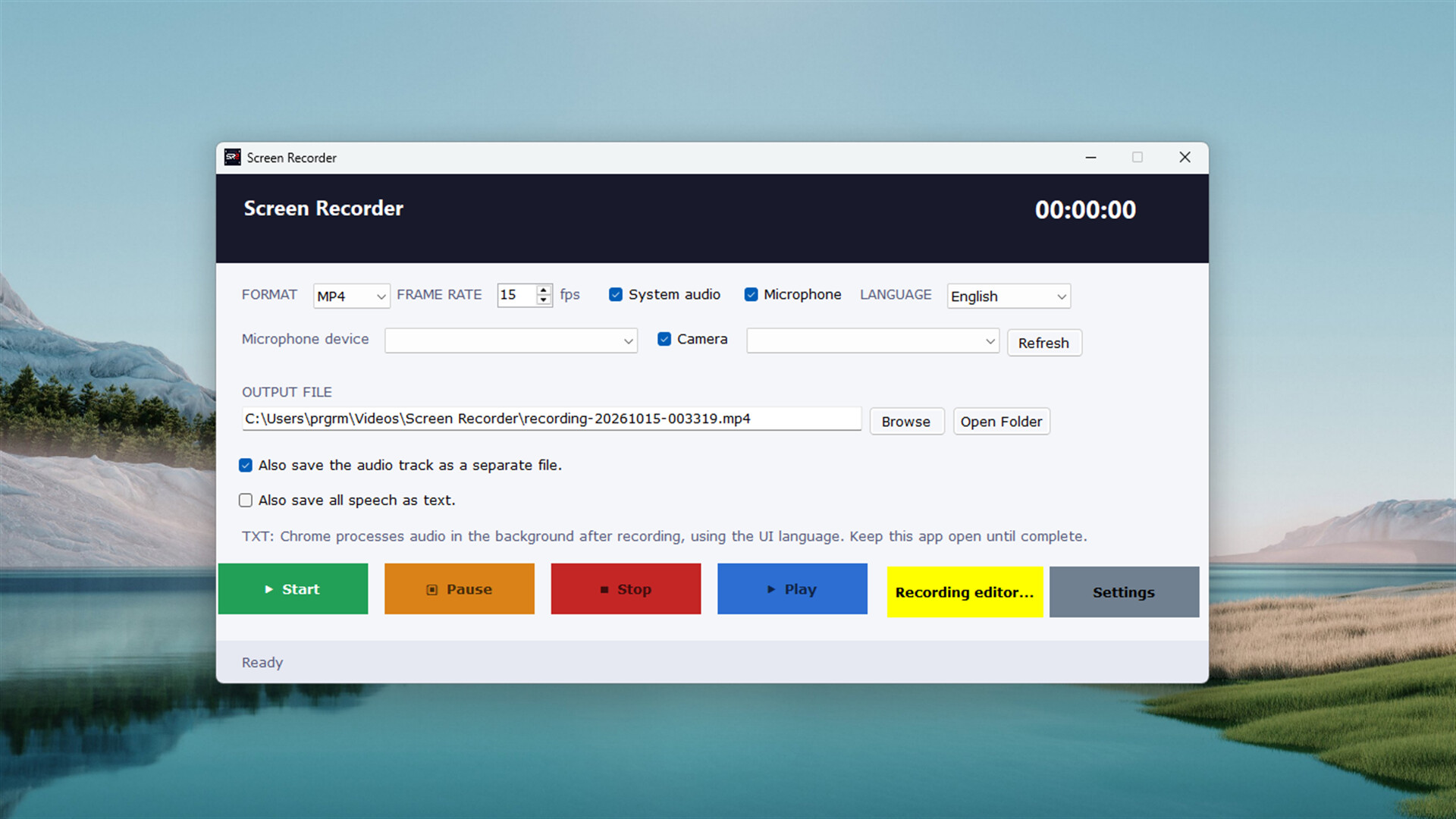
Record your gaming experiences, explain how to use an application or turn your presentation into a video. Screen Recorder brings screen recording, audio capture and basic video editing tools together in one application.
Once your recording is complete, preview it, select the section you want, add your visuals and export in the format that suits your needs.
Screen Recorder stores video and audio data in an .srp recording project alongside your exported video. This file keeps the source data together so you can reopen your recording, edit it and generate another video later.
If a video export fails, you can export again from your source project. The file structure can read completed recording blocks from unfinished files, helping you reuse intact data.
Images you add to your project are also embedded in the file. You do not need to keep the source images in separate folders to continue editing.
Use the built-in recording editor to view your video within the application and prepare the section you want to share.
Save your edits to the project file and return to work on them later while preserving the original video and audio data.
Export your video in the format that suits your needs:
MP4 • MKV • WebM • AVI • MOV • TS • OGV • FLV • GIF
Create a video to share, a file for editing or a short animation. You can also save the audio recording as a separate file.
Choose from 25 interface languages. The recording screen, editor, descriptions and application messages use your selected language. Interface translations are included with the application and do not require an internet connection.
With optional speech-to-text, you can export speech captured during recording to a TXT file.