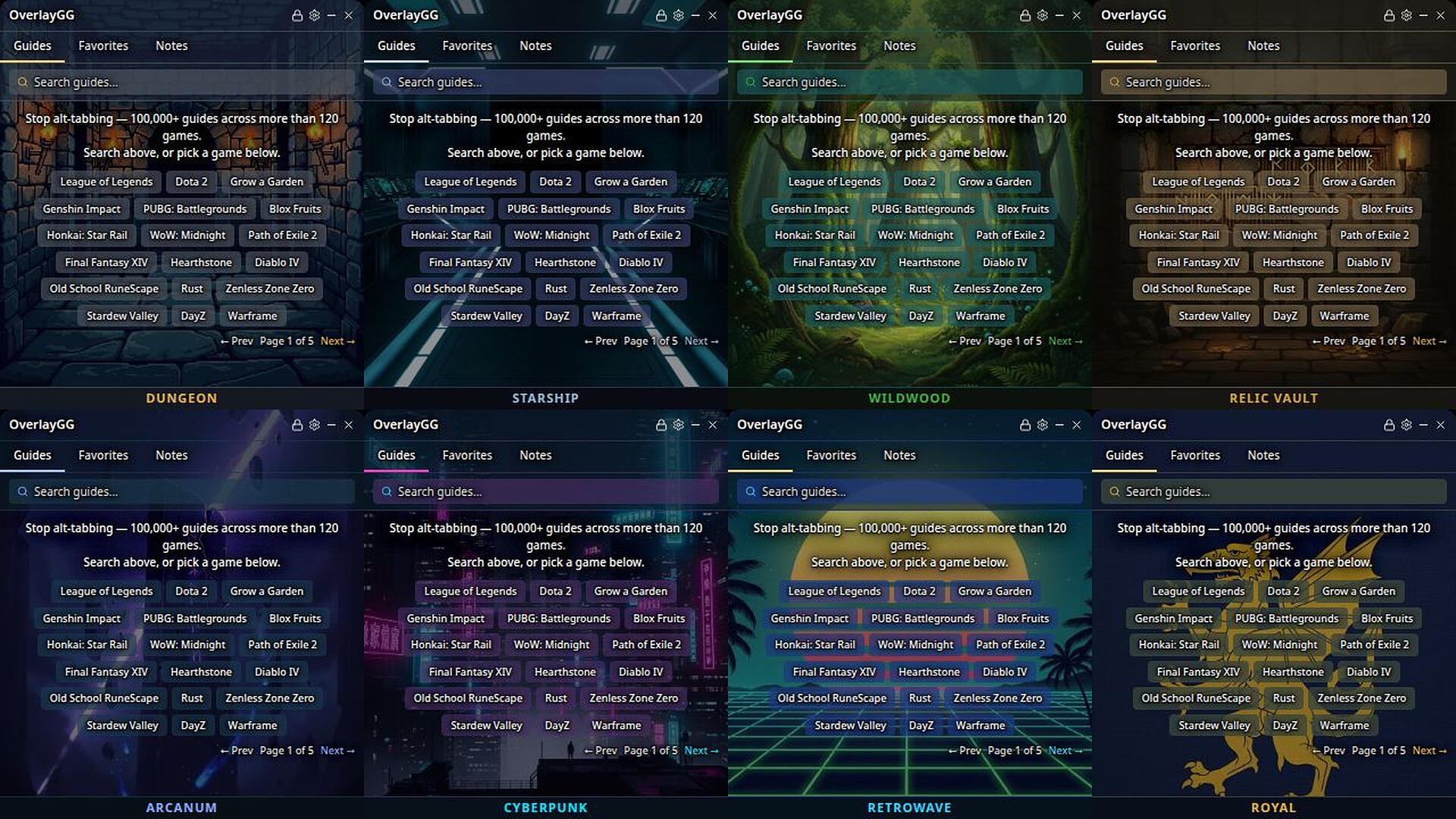
Stuck? The answer's already on your screen.
We've all been there. You hit a boss you can't crack, or a quest that won't tell you where to go next — so you alt-tab to look it up on Google or a wiki, dig through three ad-covered pages, and by the time you tab back the game's minimized and you've half-forgotten what you read.
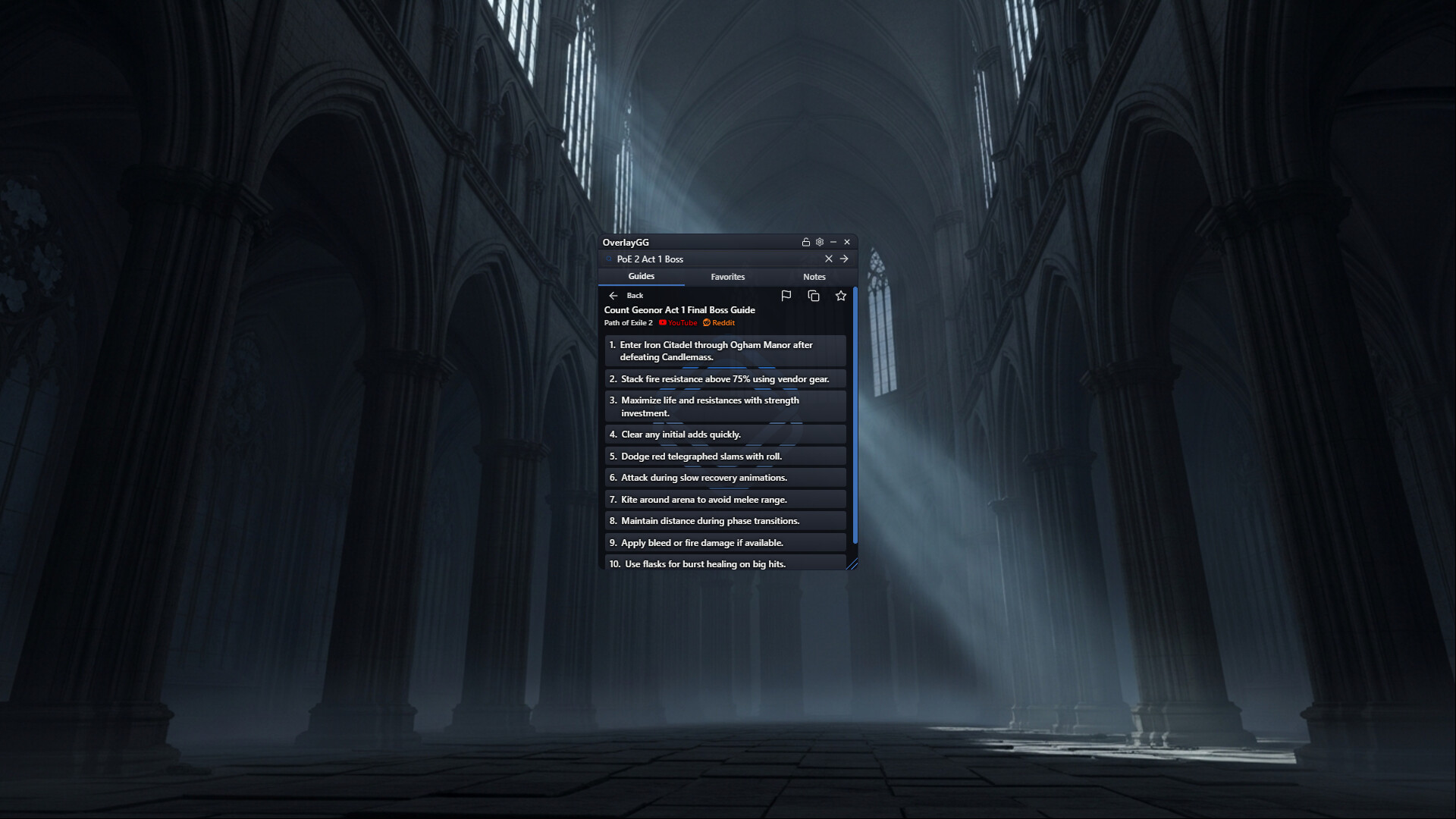
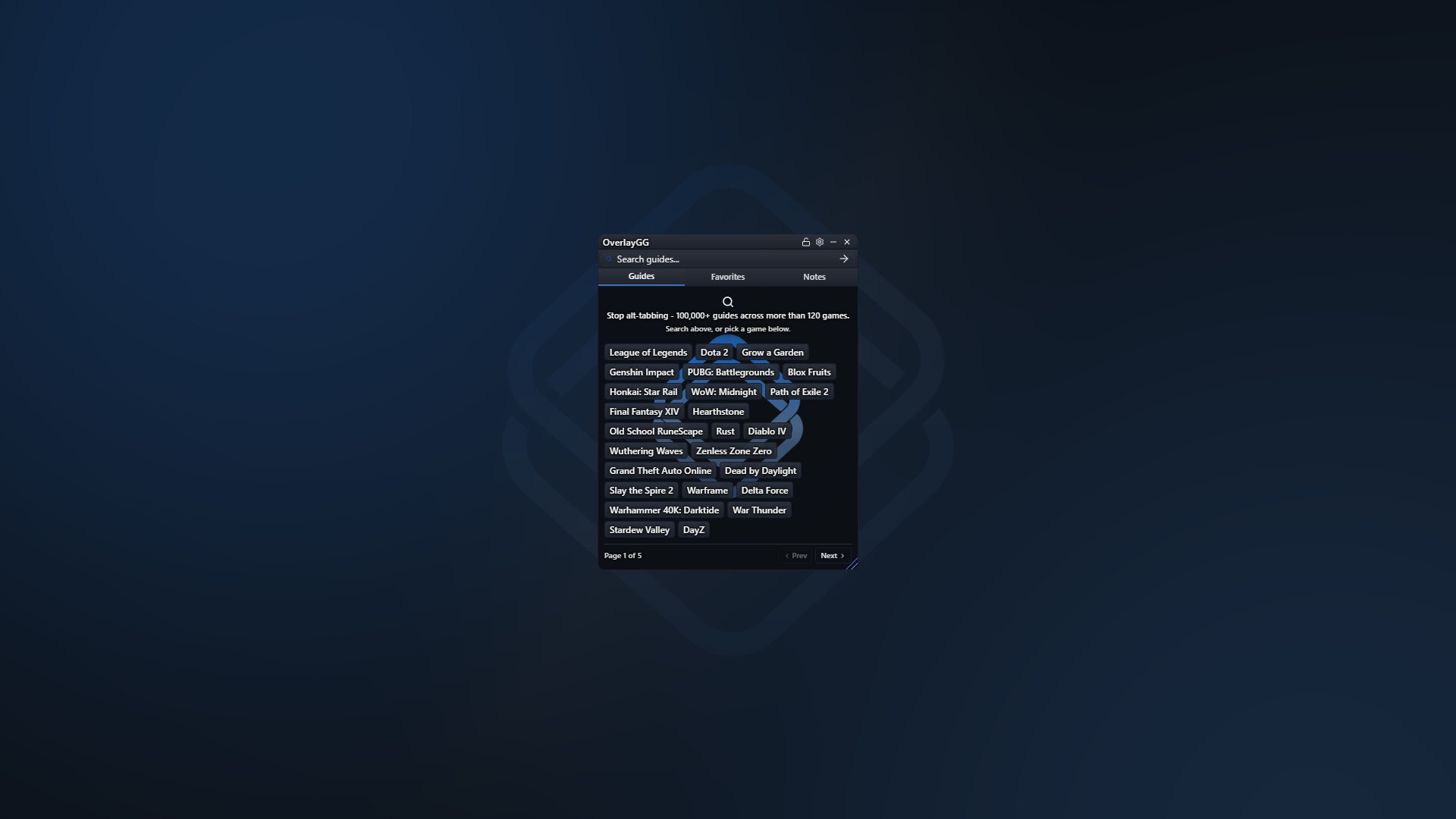
OverlayGG fixes that. It's a small, transparent overlay window that sits on top of your game and gives you instant access to 100,000+ step-by-step guides across more than 120 games. Search for what you need, glance at the answer without leaving the game, and hide the overlay when you're done.
GUIDES ACROSS GAME GENRES
OverlayGG covers supported games across RPGs, MMOs, action-adventure games, survival and crafting games, strategy games, competitive multiplayer games, and achievement-focused games. Coverage varies by game and continues to expand.
WHAT'S INSIDE
- 100,000+ guides covering more than 120 games — boss fights, raid encounters, character builds, crafting recipes, achievement chains, hidden quests, faction questlines, build orders, settings tweaks, and more.
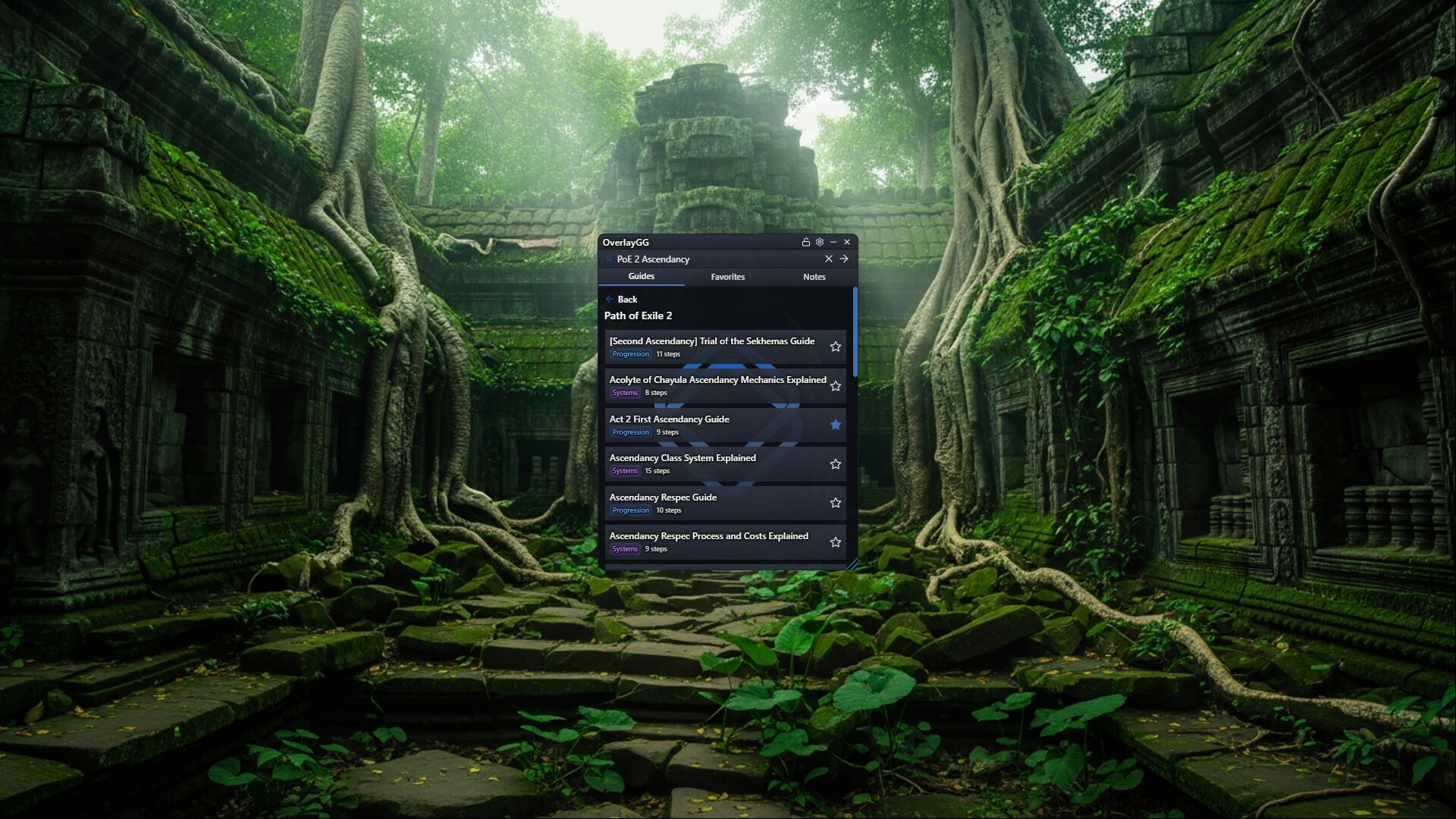
- Instant search. Find guides by game, mechanic, or question. Search handles common typos, abbreviations, and partial names.
- Lockable click-through. While the overlay is locked, clicks over non-interactive areas pass through to the game. Unlock it when you want to search, scroll, or edit notes.
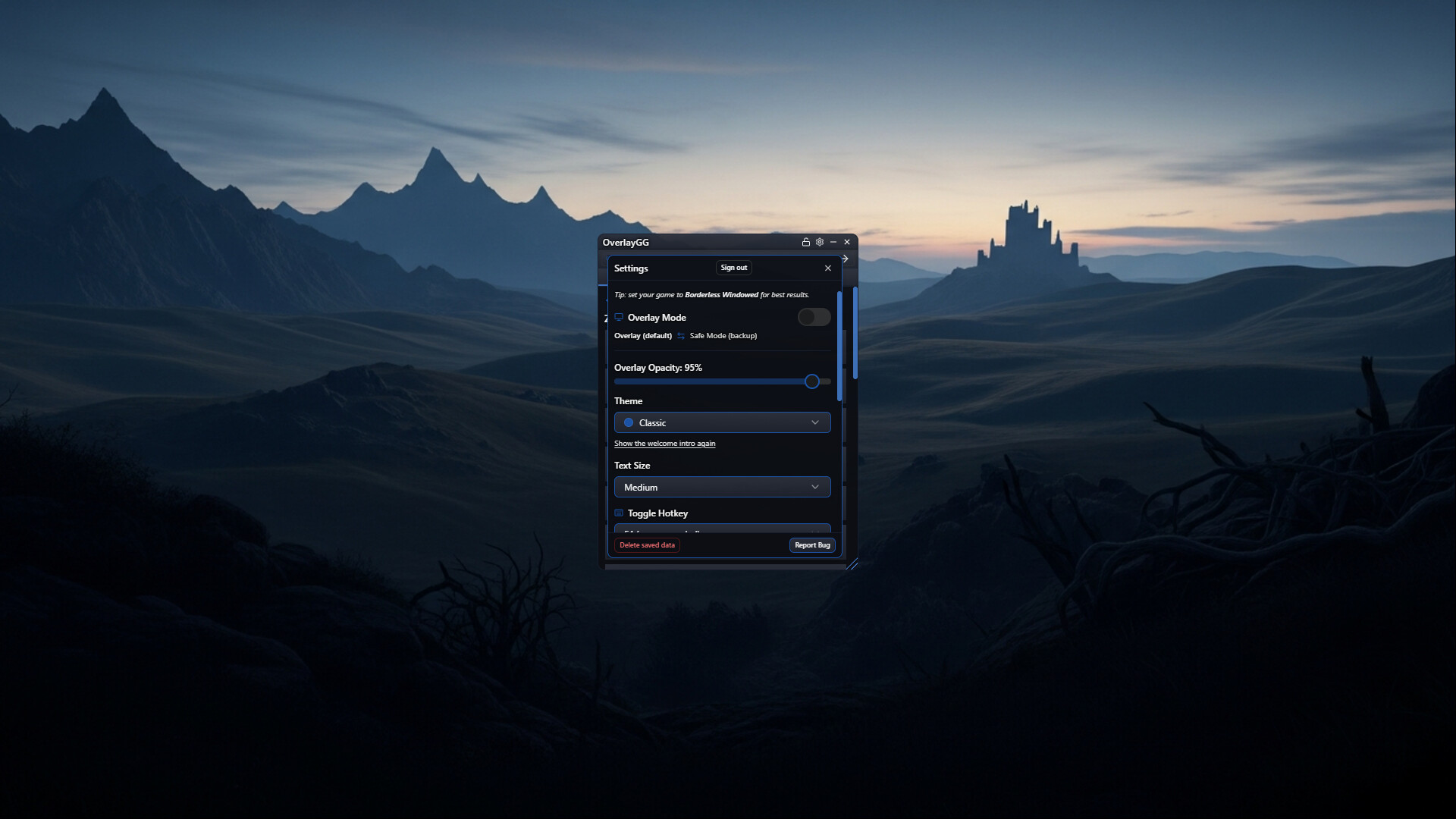
- Configurable hotkeys. Lock or unlock the overlay with the default \ key, and show or hide it with F4. Both shortcuts are configurable.
- Personal notes and favorites. Save reminders alongside guides and keep frequently used guides easy to find.
- Safe Mode backup. Open OverlayGG as an ordinary resizable desktop window when the transparent overlay window is not usable on your setup.
HOW IT ACTUALLY WORKS
Launch OverlayGG through Steam, search for a topic, and choose a guide. The written steps appear in the OverlayGG window.
In Overlay Mode, OverlayGG uses a transparent always-on-top window for compatible borderless/windowed setups. It can run from the system tray, and closing the app exits it. If a guide contains an external video or page, that link opens in your default browser.
GUIDES FOR MORE THAN 120 PC GAMES
A few highlights: League of Legends, Valorant, Dota 2, Grow a Garden, Genshin Impact, PUBG: Battlegrounds, Blox Fruits, Honkai: Star Rail, World of Warcraft, Path of Exile 2, Final Fantasy XIV, Hearthstone, Old School RuneScape, Rust, Diablo IV, Wuthering Waves, Zenless Zone Zero, Grand Theft Auto Online, Dead by Daylight, Slay the Spire 2, Marvel Rivals, and many more.
The guide catalog includes popular non-Steam games too. OverlayGG can display over many games regardless of launcher, but visibility depends on the game's display mode and your system configuration.
COMPATIBILITY AND SAFE MODE
OverlayGG is designed for borderless/windowed play. Some fullscreen configurations may require changing the game's display mode or keeping OverlayGG on a second monitor. Compatibility can also vary with game updates, graphics settings, system configuration, and current publisher or anti-cheat rules.
Safe Mode is an ordinary desktop-window backup for setups where the transparent overlay window itself will not run. It cannot draw over a game and is not an anti-cheat or fullscreen bypass.
ONE-TIME PURCHASE
- No subscriptions
- No DLC
- No ads
- No ads injected into guides
- Lifetime access to every guide we ever publish
AI-ASSISTED
Guides are researched and written with the help of generative AI. Nothing is generated live while you play. If a guide is wrong or outdated, you can flag it for correction inside the app.
INDEPENDENT AND NON-INTRUSIVE
OverlayGG is an unofficial third-party guide overlay. It is not affiliated with, endorsed by, or sponsored by the games it supports. All game names, logos, and trademarks belong to their respective owners.
OverlayGG does not modify game files, inject code into games, capture your screen, or record or log your keystrokes. It communicates with Steam for distribution and authentication and with the OverlayGG service for guides and saved profile data. See the Privacy Policy for full details.
REQUIREMENTS
OverlayGG requires Windows, an active internet connection, and a Steam account that Steam currently recognizes as entitled to run the app. Desktop authentication normally completes automatically through the running Steam client.