#Casual #2D #Cartoony
Hidden Pets: 101 Cats in Beijing
Join this adventure and discover the hiding places of 101 kittens 🐾 in the hand-crafted Beijing landscape. 🏆 Earn lots of achievements. How many 😺 can you find? 🔎 Be quick! ⏱️
View game
$0.99

No user reviews · 0 reviews
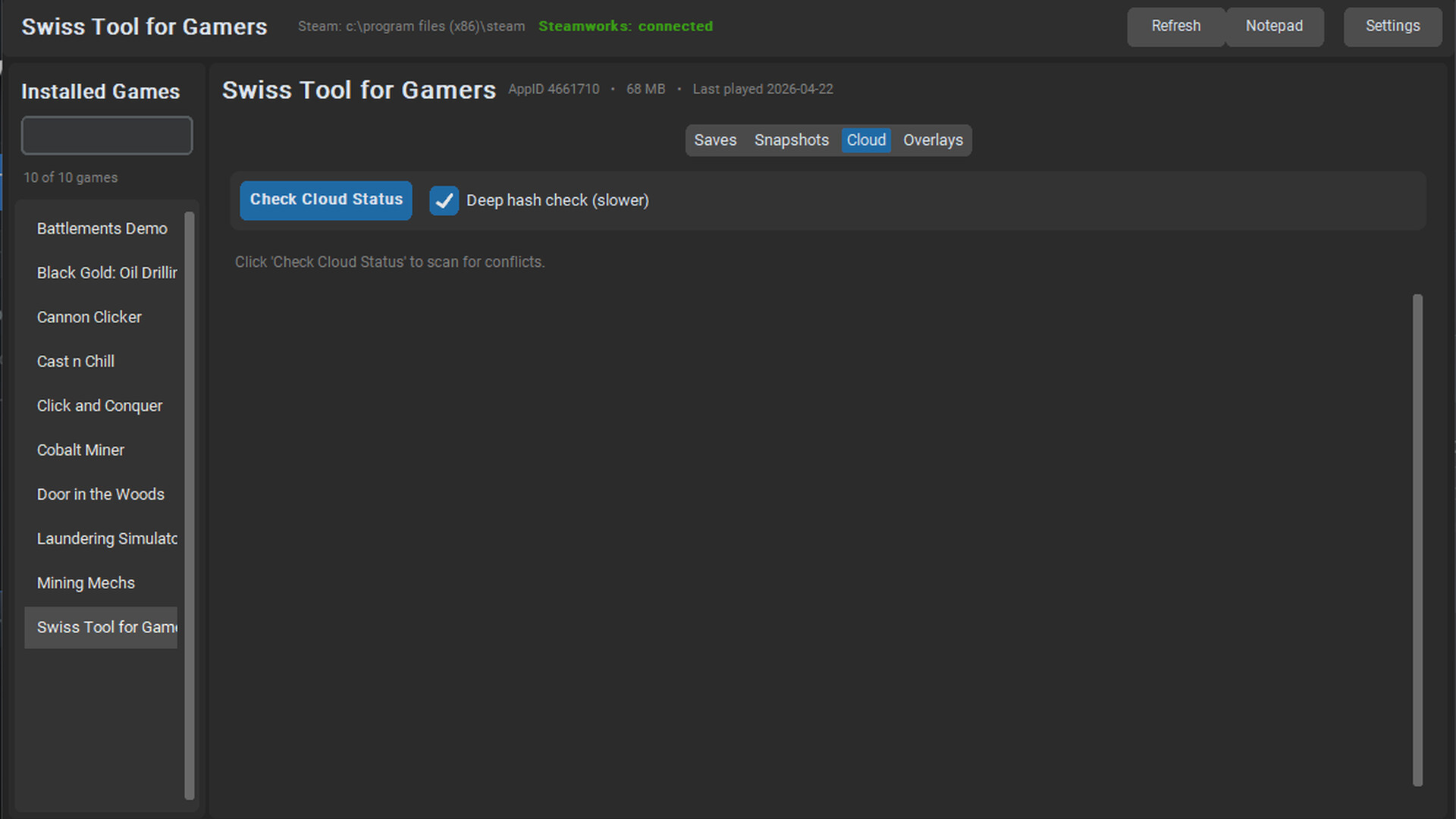
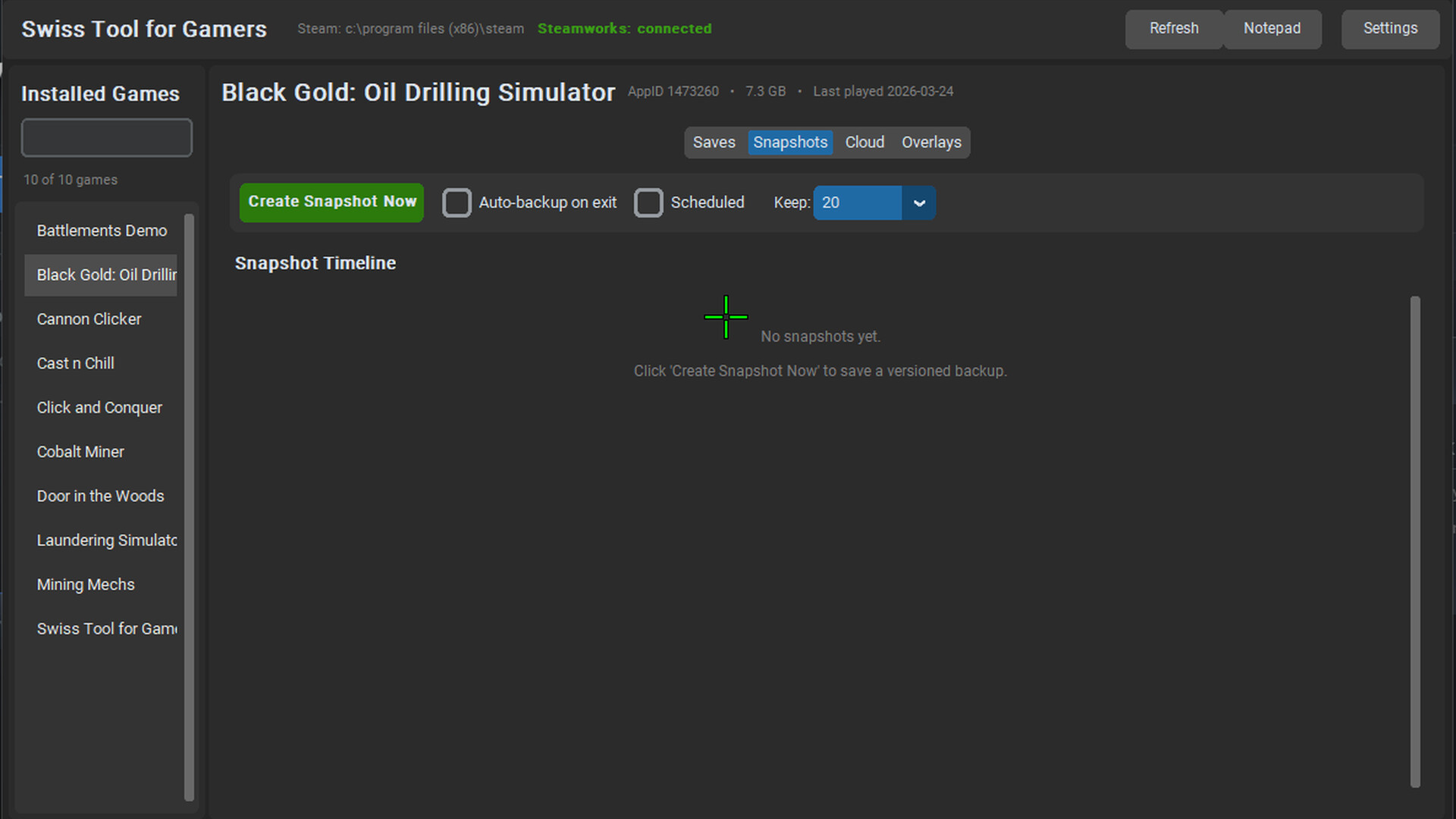
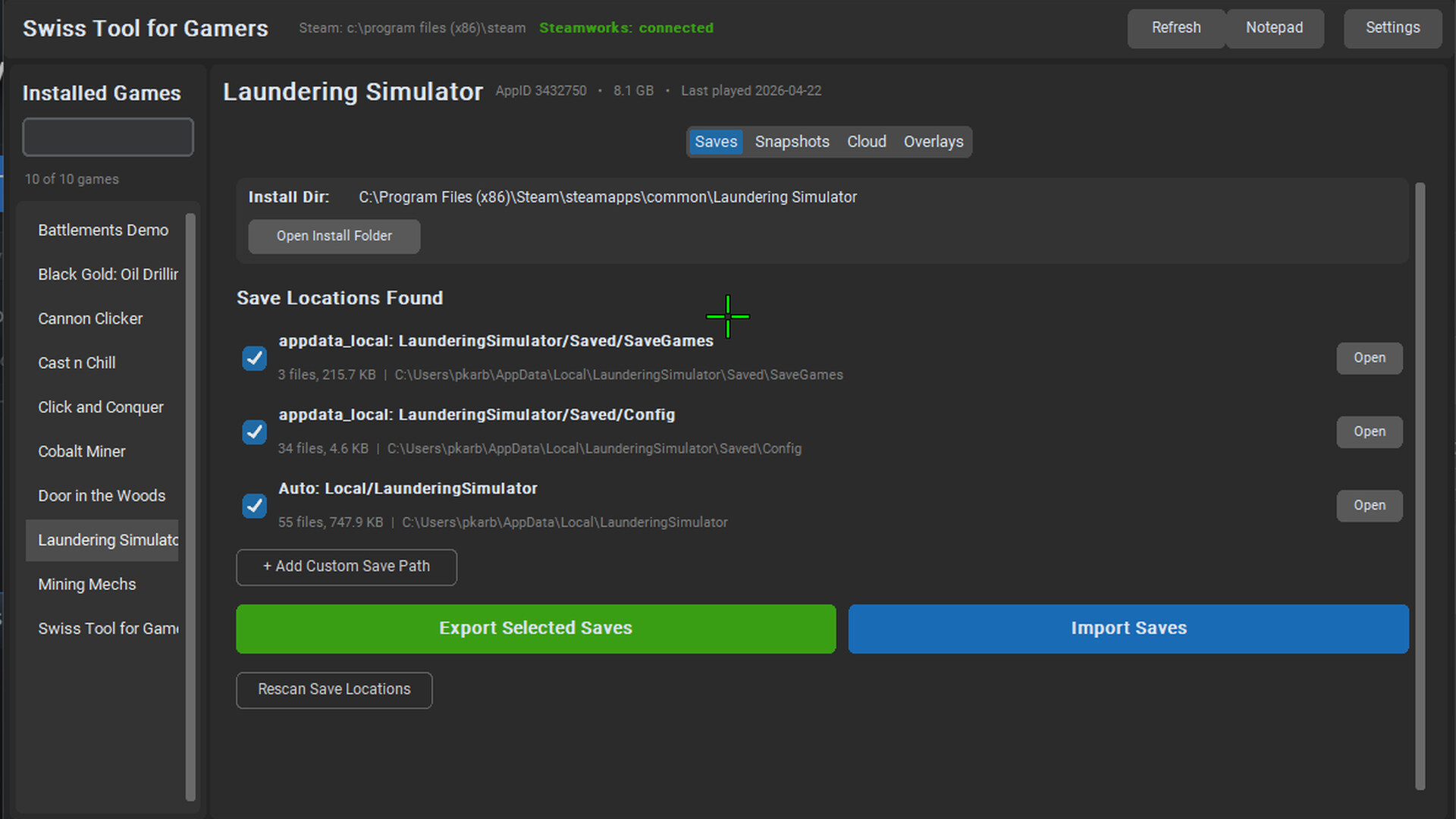
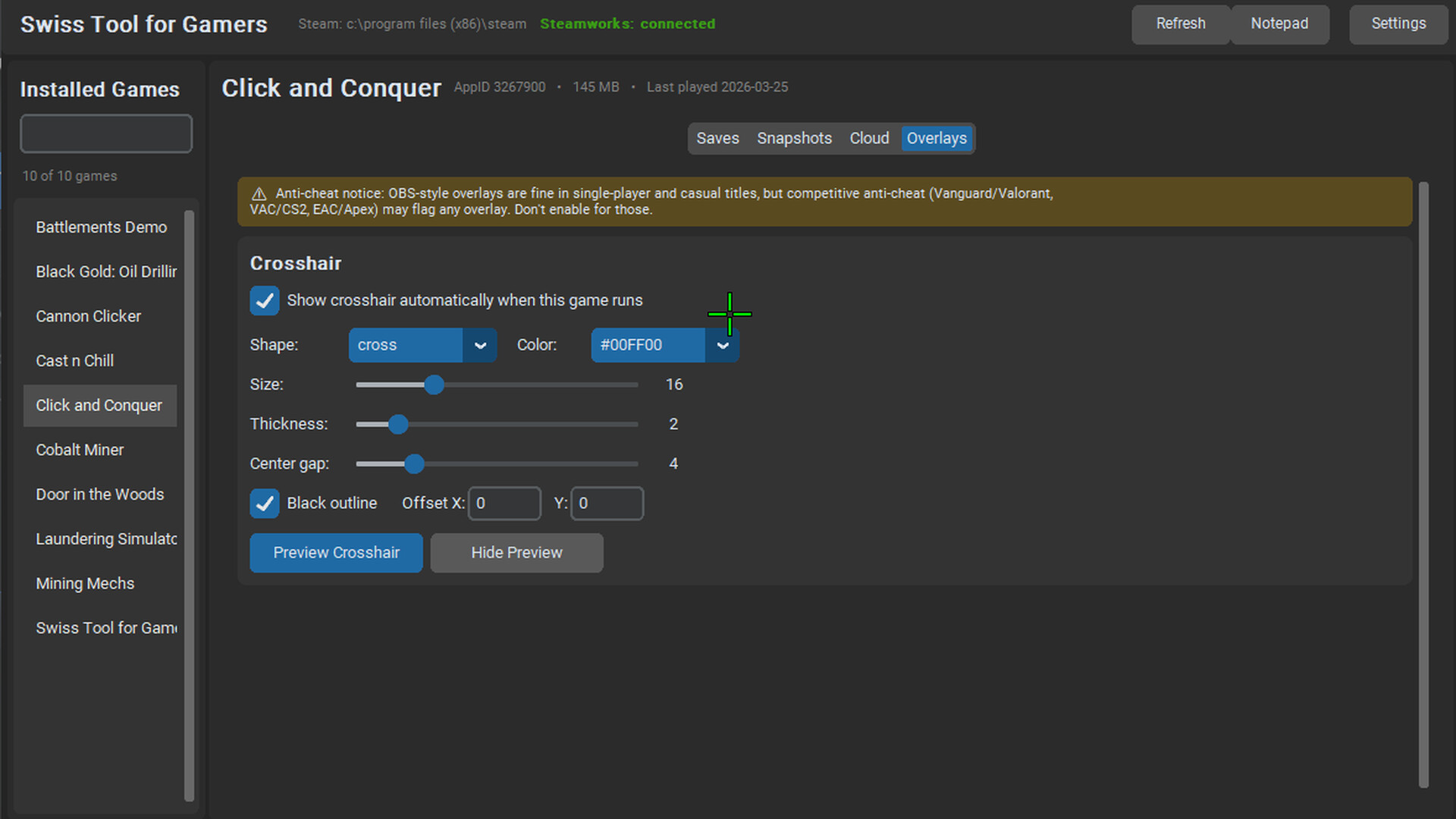
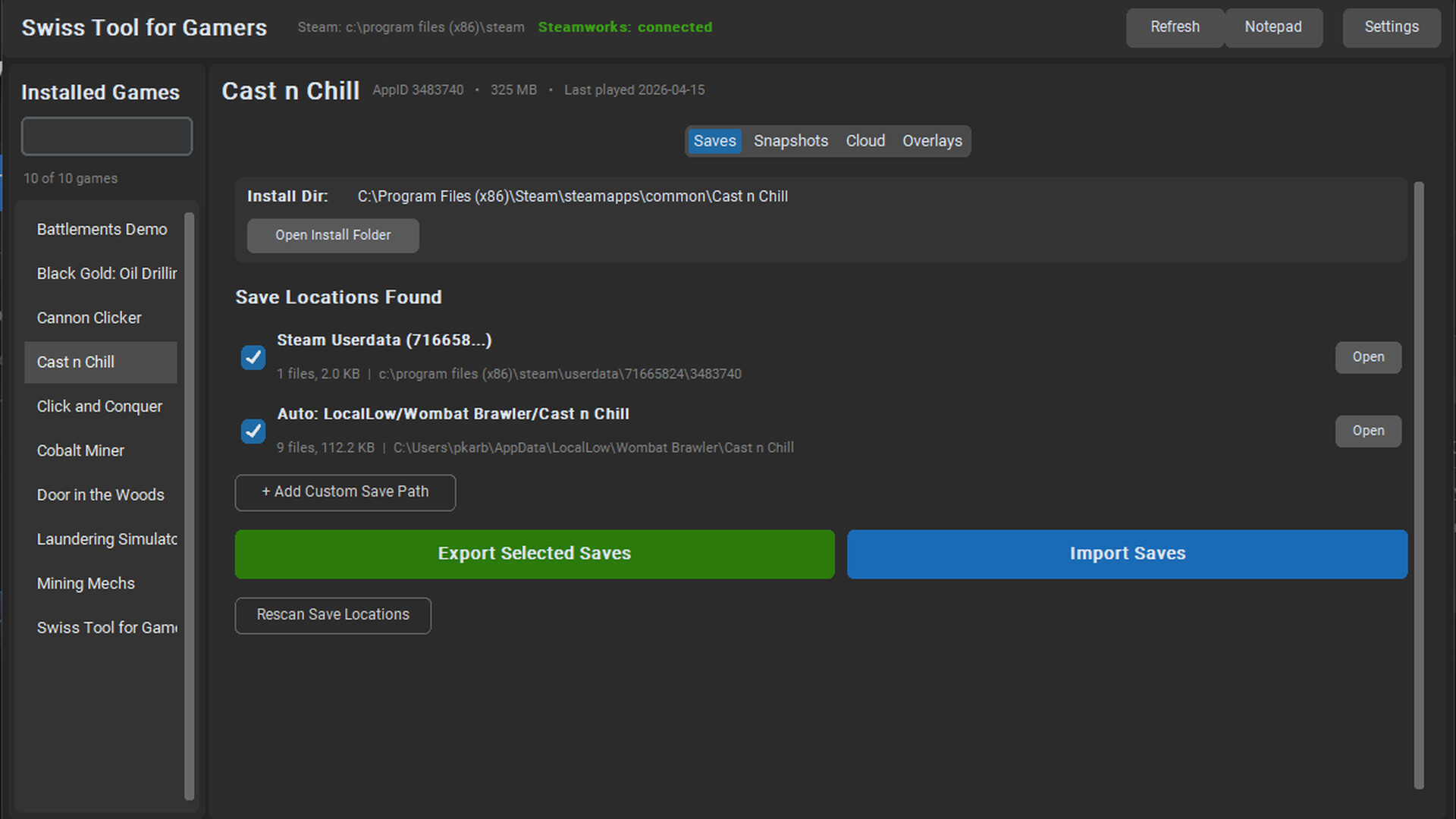
A Swiss-Army toolkit for PC gamers, actively developed with new features every update. Design a custom crosshair, back up saves automatically, catch Steam Cloud conflicts, jot strategy notes over any window. One tool, everything a player needs — and growing.
Released
May 12, 2026
Price
Platforms
Windows
Developer
Publisher
Last sync
September 26, 2026
A crosshair overlay for games that hide their aim. A save-backup script copy-pasted from a forum. A sticky note for quest details. And something to notice when Steam Cloud tries to overwrite your last hour of progress.
Swiss Tool for Gamers is all of that in one place.
A transparent, always-on-top crosshair overlay — the same OS-level technique OBS, Discord, and ShadowPlay use. Configure shape (cross, dot, circle, X, cross-dot), size, thickness, gap, color, outline, and offset. Save a different profile per game. Have the crosshair auto-appear when that game launches and vanish when it closes.
Timestamped, hash-verified snapshots of your save files. Take them manually, on a schedule, or automatically every time you exit a tracked game. Restore any past snapshot in two clicks — a pre-restore snapshot is taken first so the action is always reversible. Configurable retention policy so you don't fill your disk.
Swiss Tool parses Steam's own remotecache.vdf and diffs it against your actual save files. If Steam Cloud is about to overwrite your local saves with a stale copy — or vice versa — you'll see it before you launch. No more accidentally losing an hour of progress to a failed sync.
A transparent notepad window for build orders, crafting recipes, boss weak points, friend codes — anything you'd normally alt-tab out of the game for. Autosaves to plain text so you can open it in any editor.
Swiss Tool's crosshair draws a transparent OS-level window — identical to how OBS, Discord Overlay, and ShadowPlay work. In single-player and casual multiplayer games this is fine. In competitive titles with strict anti-cheat (Valorant/Vanguard, CS2/VAC, Apex/EAC), overlays may be detected and lead to bans. Disable the crosshair for those games — the save-backup and notepad features remain safe to use.
No network calls. No telemetry. No account required. Everything runs locally. Save snapshots are stored as ordinary ZIP files you can open with any archiver. The app is fully offline by design.
Swiss Tool for Gamers is not a finished-and-forgotten release. It's under active development by a solo dev who uses it daily. Every purchase comes with:
Planned and in-progress features (subject to reprioritisation based on community feedback):
Features ship when they're ready, not on a forced schedule. Keep an eye on the News tab and Community hub.