Playto reads the text on your PC game screen and shows the translation wherever you want it — dialogue, menus, items, wherever you point. It never touches the game's files; AI on your PC does the translating. Save the words you read, review them, and learn a language as you play. 23 languages.
Learn a language through the games you love. Playto reads the text on your PC game screen and shows the translation right there — JRPGs, visual novels, strategy games, anything with text on screen. Keep the words that catch your eye in your Word Book and review them later.
What Playto is
Before you buy, here is what Playto does and does not do.
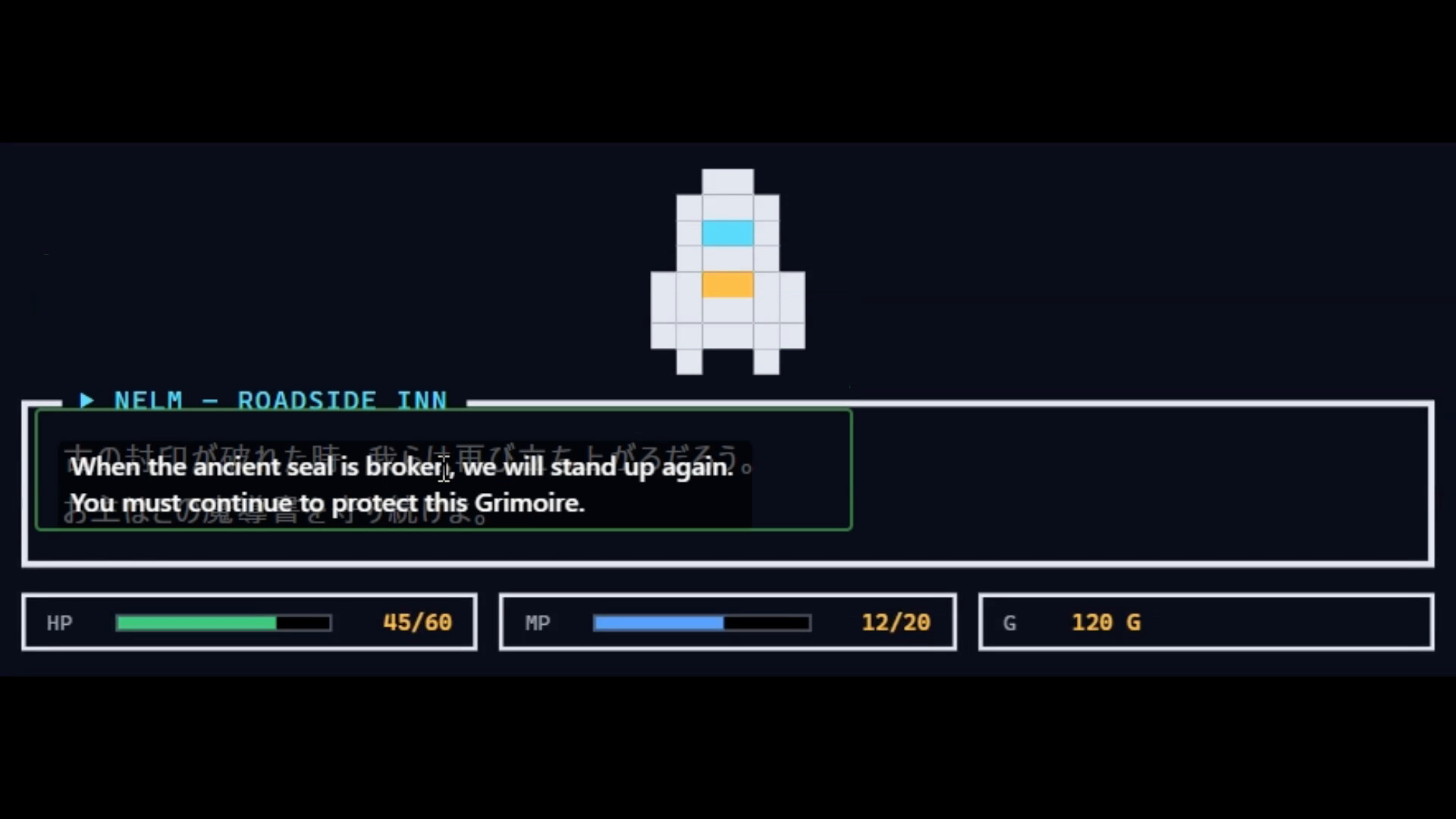
Reads the screen, shows the translation where you want it — Next to the original, at the bottom of the screen, or anywhere you place it. Playto never touches the game's files, so unlike a mod or a translation patch, the text inside the game is not replaced.
Ready as soon as it's installed — No detailed setup. Launch your game, choose where to read, and it works.
Machine translation by AI on your PC — No translation is perfect. The original is always shown alongside, and you can retranslate any line you don't like from the Log.
Some games can't be read — Games whose anti-cheat blocks screen capture can't be read. Borderless windowed mode is recommended.
A translator and a language-learning tool — Keeping the words you read in your Word Book and making them stick through review is part of the job.
Translate any spot you point at — dialogue or UI
Whatever the game, you can read any spot you like — not just subtitles. Choose from four ways to read.
Cursor-follow — Reads the text wherever you point your mouse. For dialogue, menus and item descriptions.
Fixed region — Keeps reading a set area, such as subtitles or a status bar.
Window mode (beta) — Translates the whole screen in the background and shows translations only when you want them.
Spot Translate — One key freezes a single frame; pick the words you want and only those are translated. For fast scenes and scrolling chat.
Translations appear wherever you want them on screen, so there's no need to pause the game.
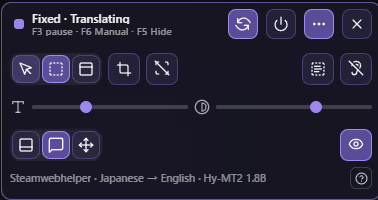
A small bar on top of the game, right where you play
In resident mode, instead of switching to the Playto window, a small bar appears on top of the game. Playto recognizes the game you're playing, and when you switch games the bar follows.
Change how it reads — Cursor-follow, fixed region or window, one click each. You can re-place the reading frame on the spot, too.
Adjust the look — Text size and background opacity on sliders; put the translation at the bottom of the screen, next to the original, or anywhere you like.
Spot Translate — From a button on the bar, freeze one frame of the screen and translate only the words you want.
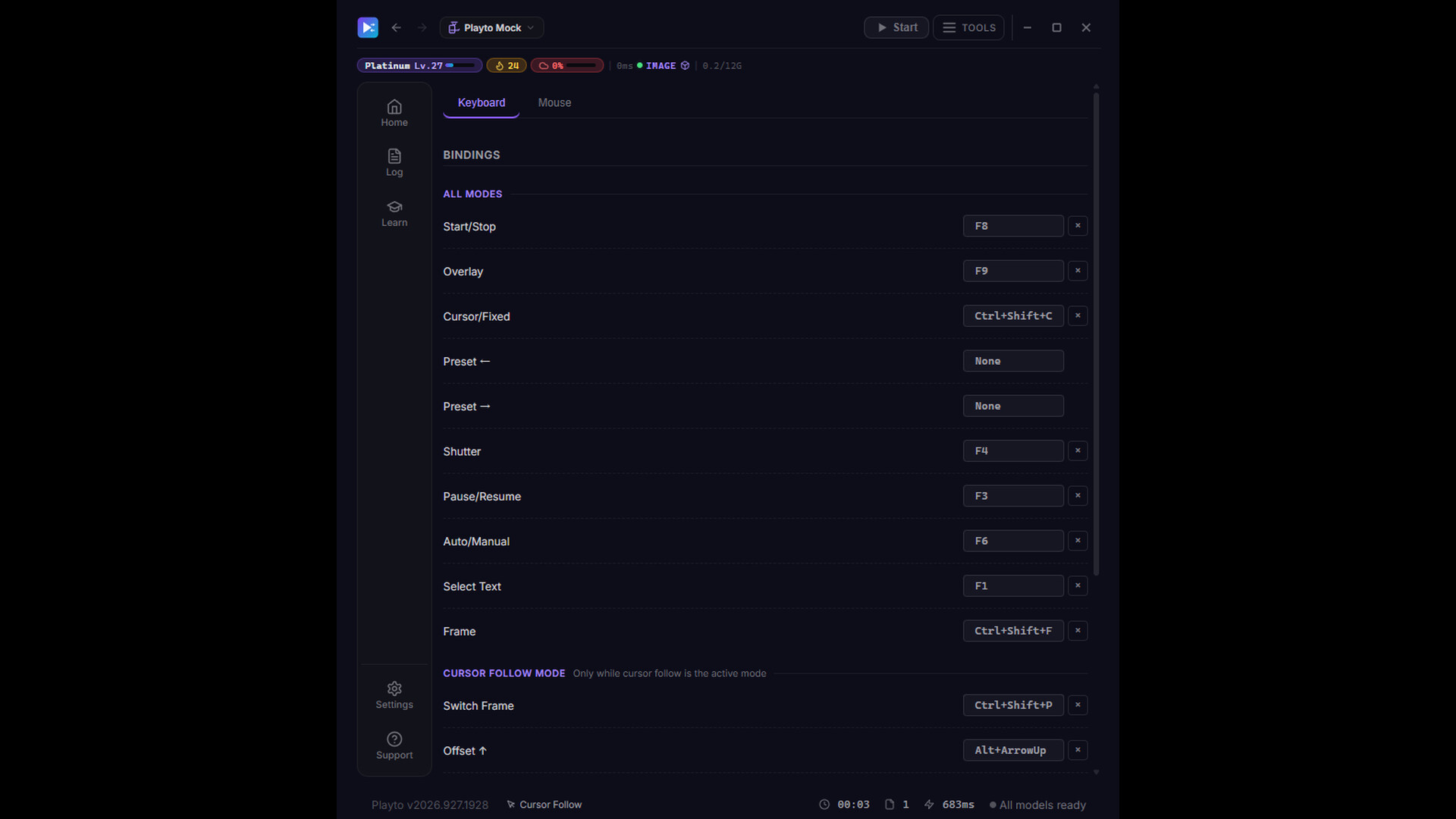
Control it with keys — Pause, switch between auto and manual, and show or hide translations with shortcut keys. The bar shows the current state and the keys you can use, plus the game, languages and translation model in use.
Fits your screen — and your taste
You decide how translations look, so they never get in the way of the game.
Position — Next to the original, in a bar at the bottom, or anywhere you like.
Look — Adjust background opacity and text size until it blends into the game.
Difficult-word highlights — Hard words in the original are colored by difficulty.
Several areas at once — Dialogue, name plates and quest logs, each translated at the same time.
Speed while you play, accuracy afterwards
While you play, the point is to understand the game and keep going — so translation never keeps you waiting.
During play — A small model answers on the spot.
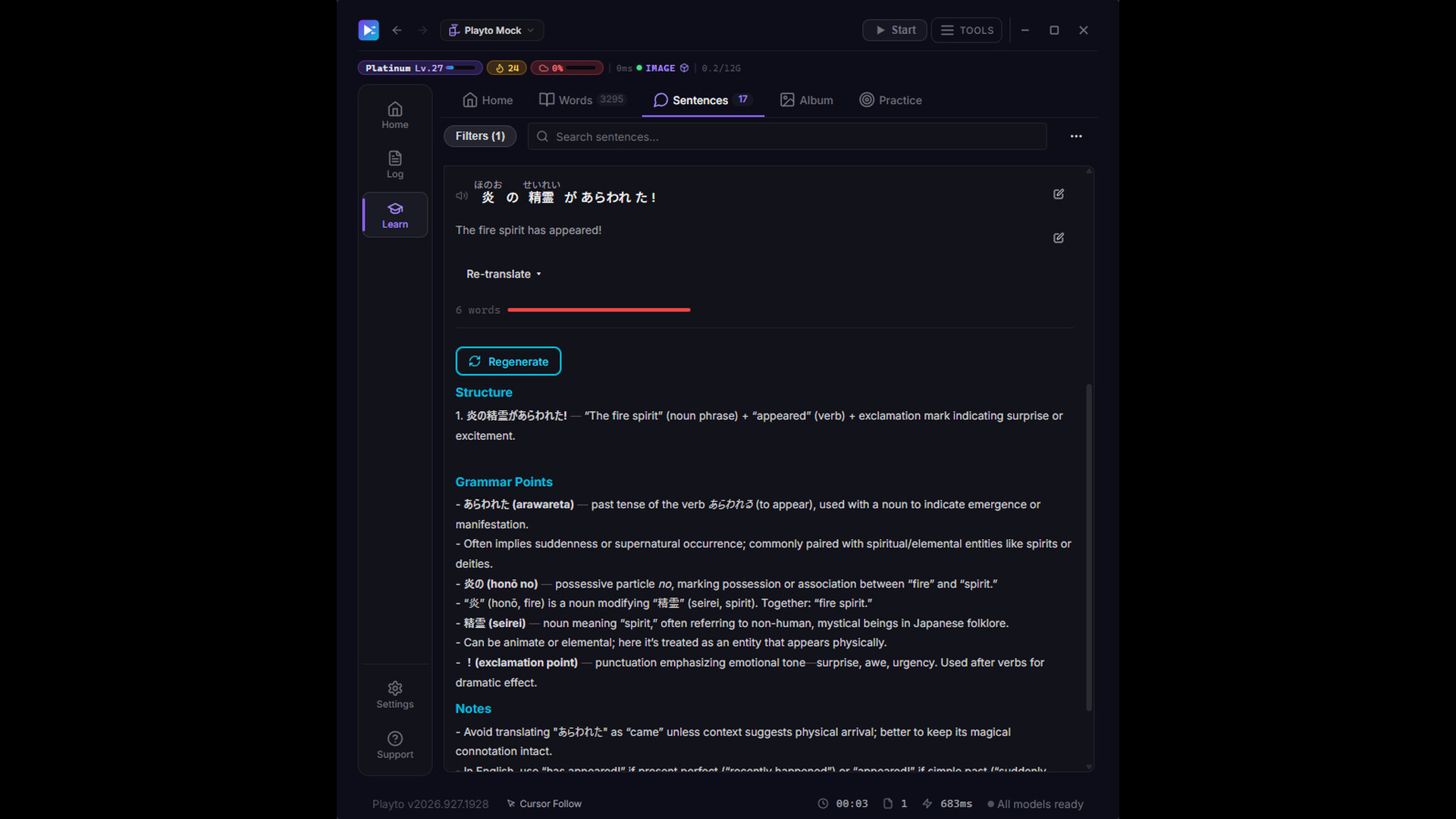
Word explanations and re-reading — These can wait, so a larger model handles them.
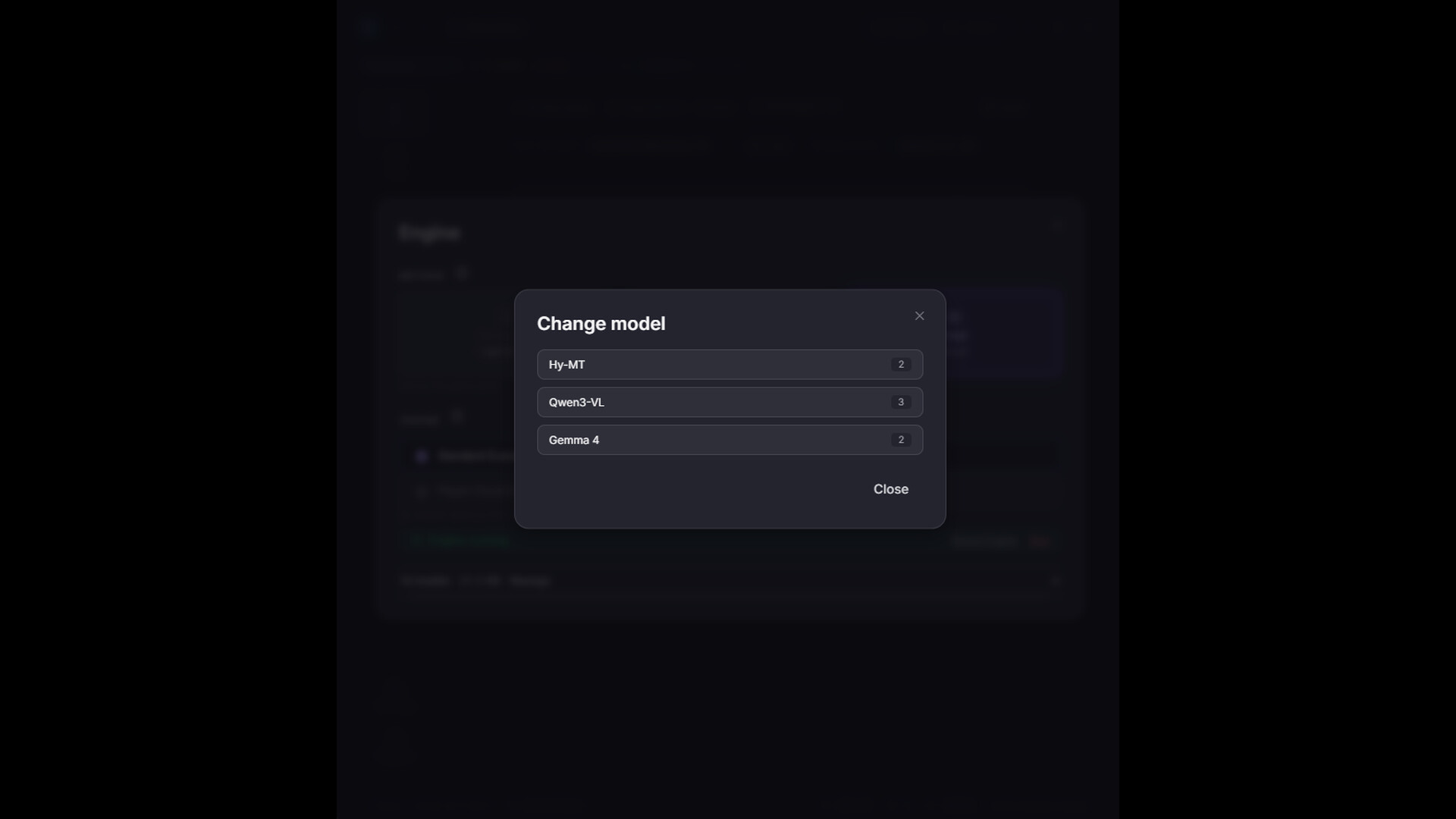
Heavier models available — Choose from models such as Gemma and Qwen. They can be more accurate, but you wait longer and they compete with your game for the GPU.
Fix any line you don't like — Retranslate or edit from the Log, and pin how character names and terms are written with the Glossary (a per-game term list).
After playing, grow your Word Book
So the words you read don't just slip by.
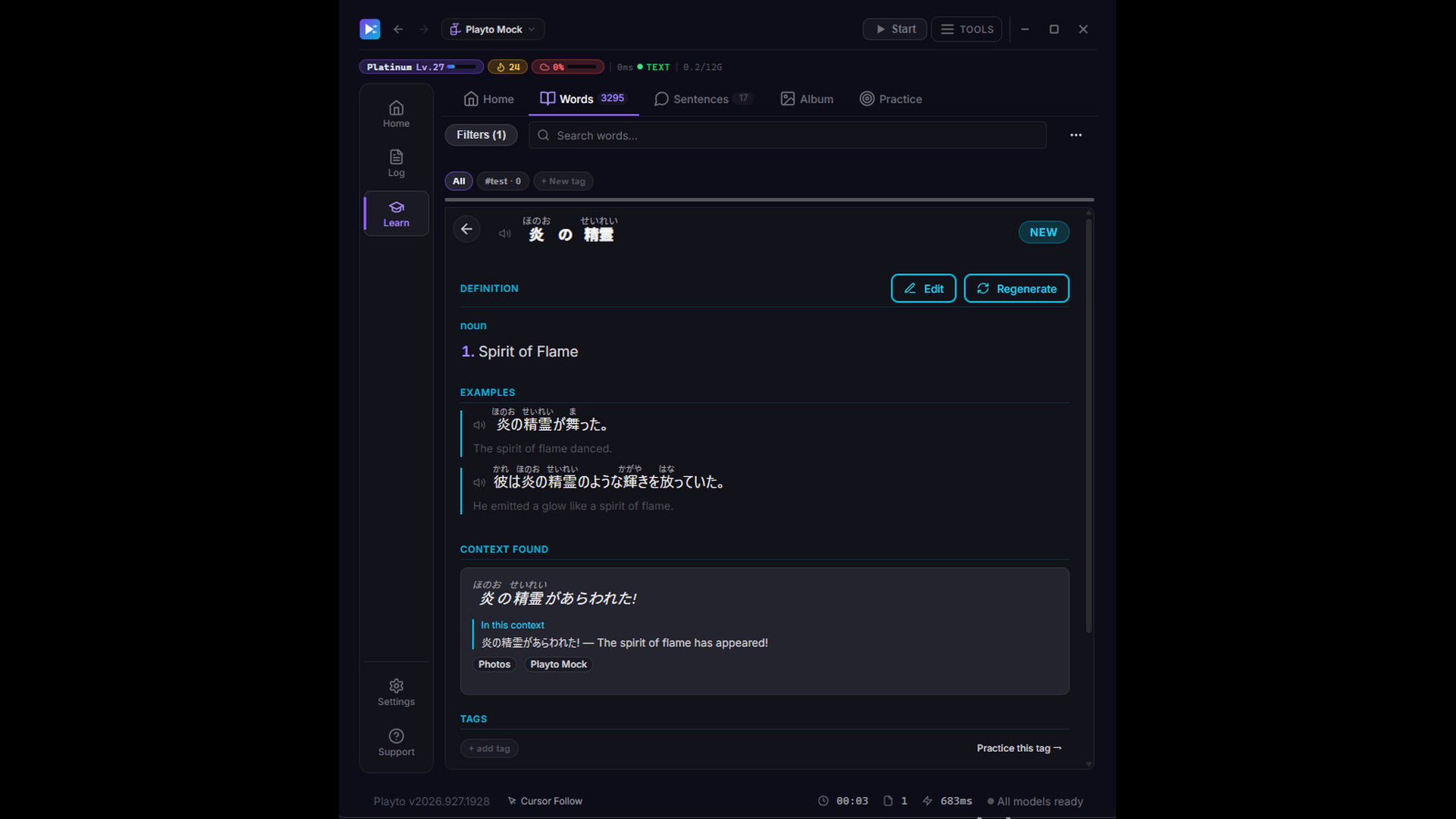
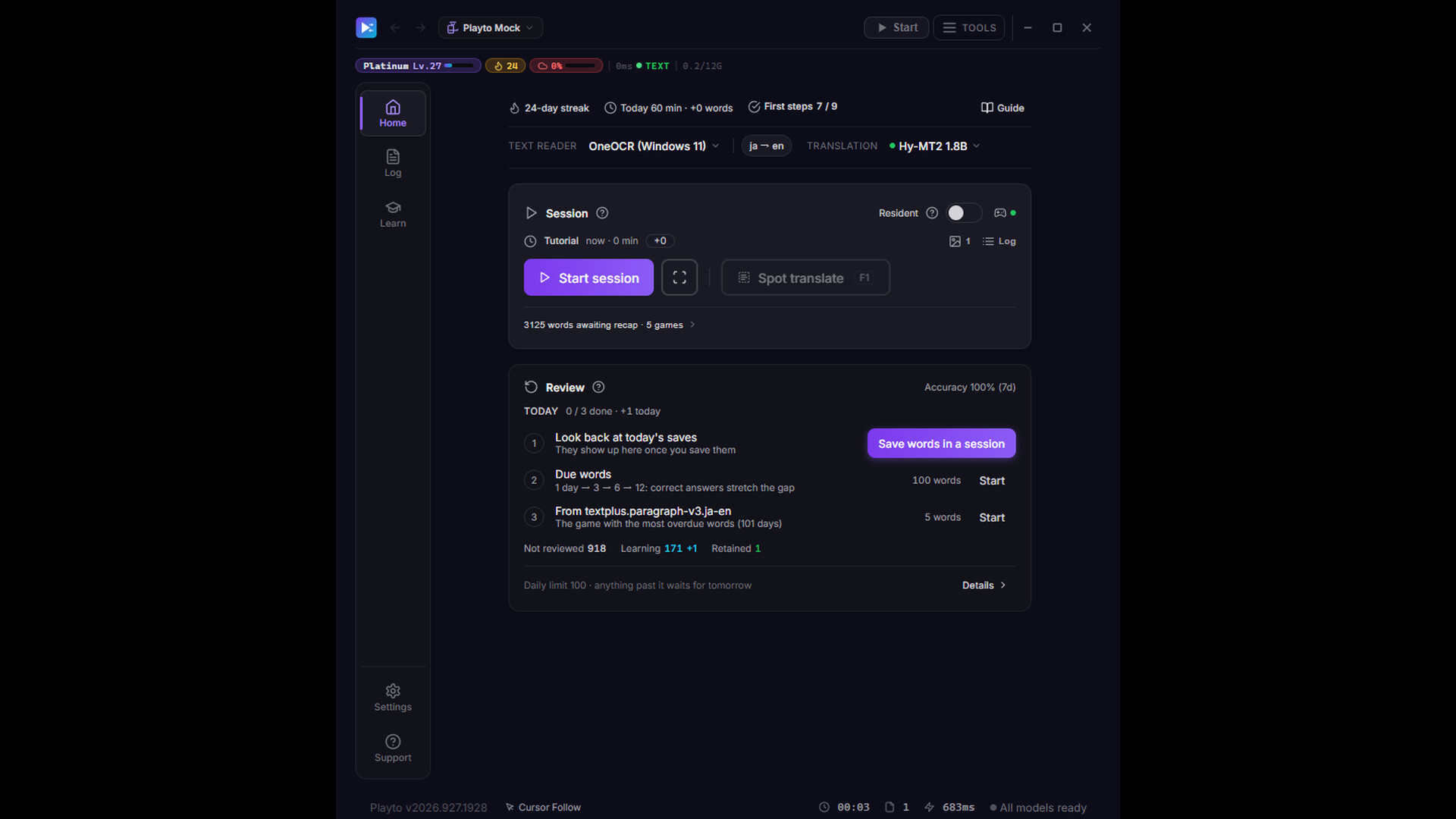
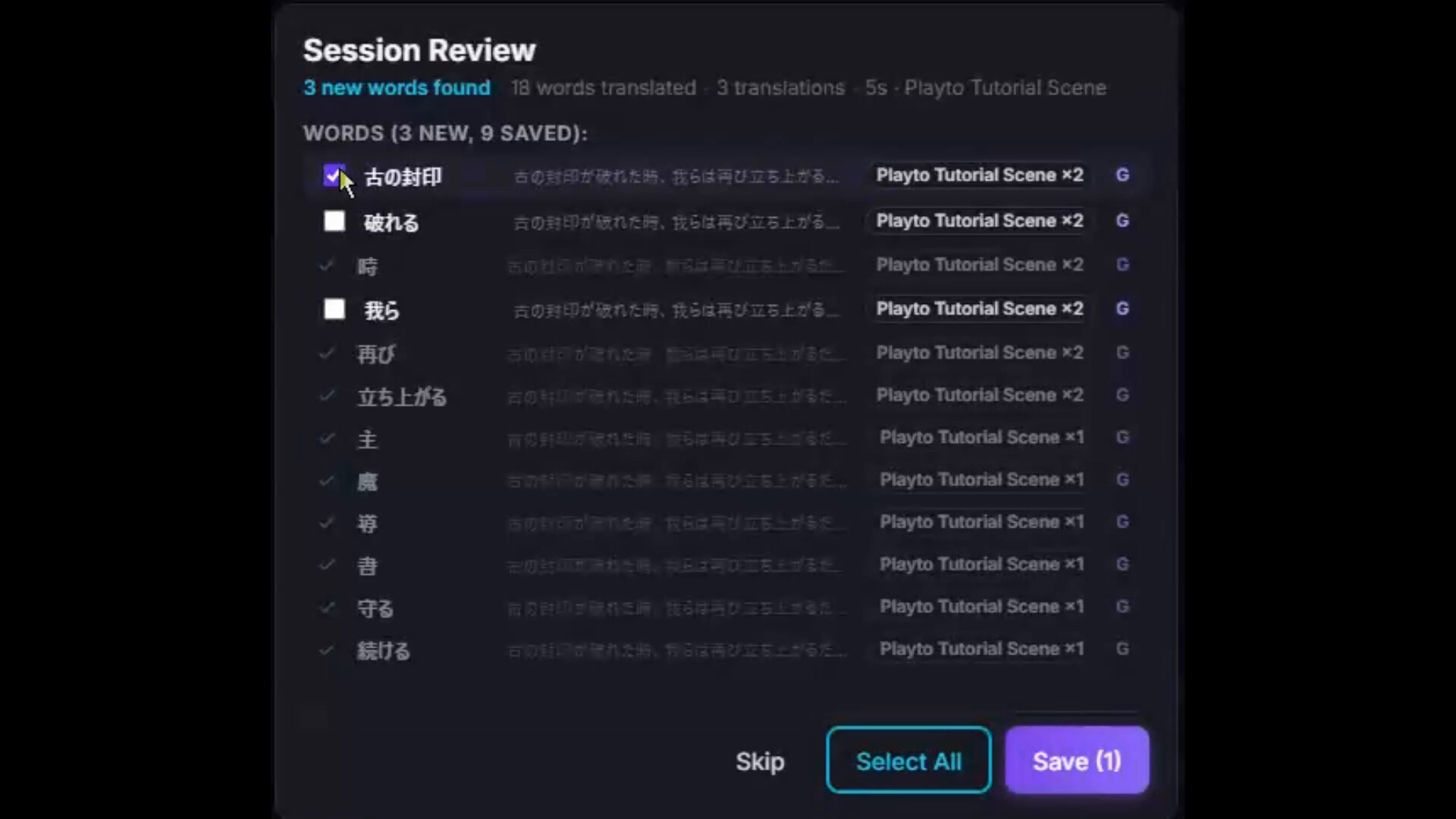
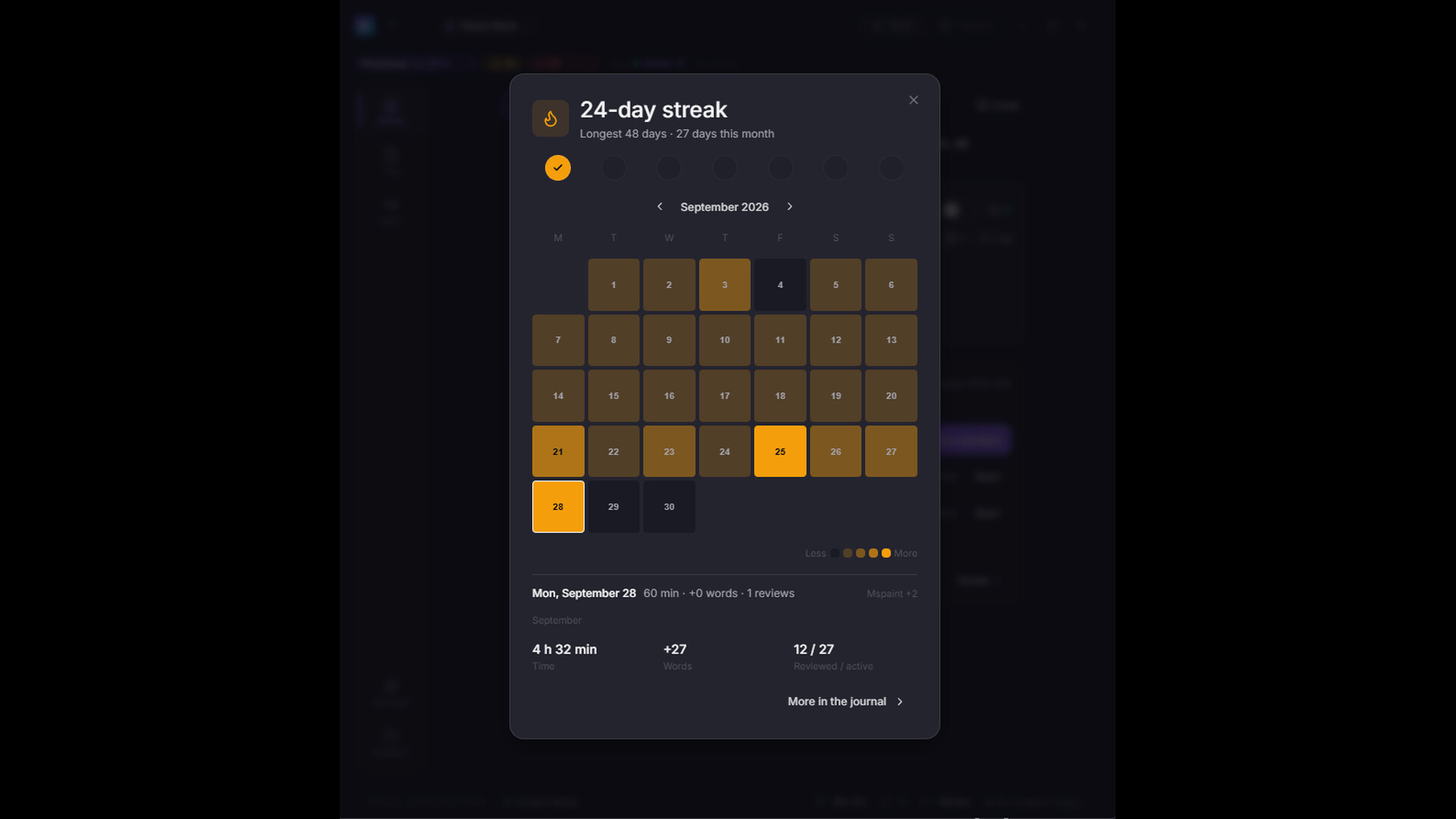
Session review — When you stop playing, look back over the text you met today. You can put it off and open it later from Home.
Saving is easy — Words that came up again and again are already suggested; check them and save the ones you want.
Difficulty badges — JLPT N5–N1 for Japanese, CEFR A2–C2 for other languages, so you can tell at a glance which words deserve attention.
Keep the scenes you played, in an album
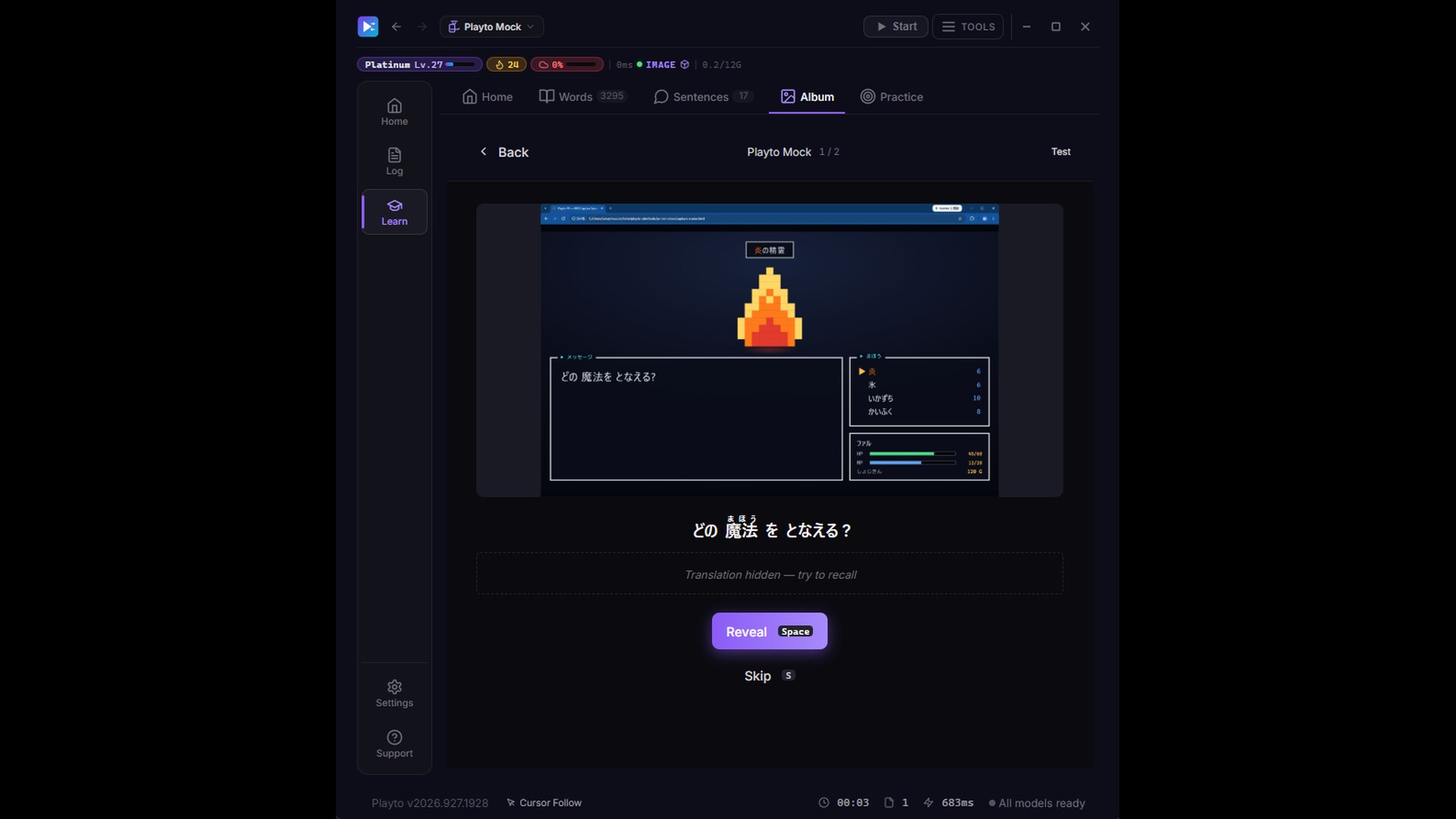
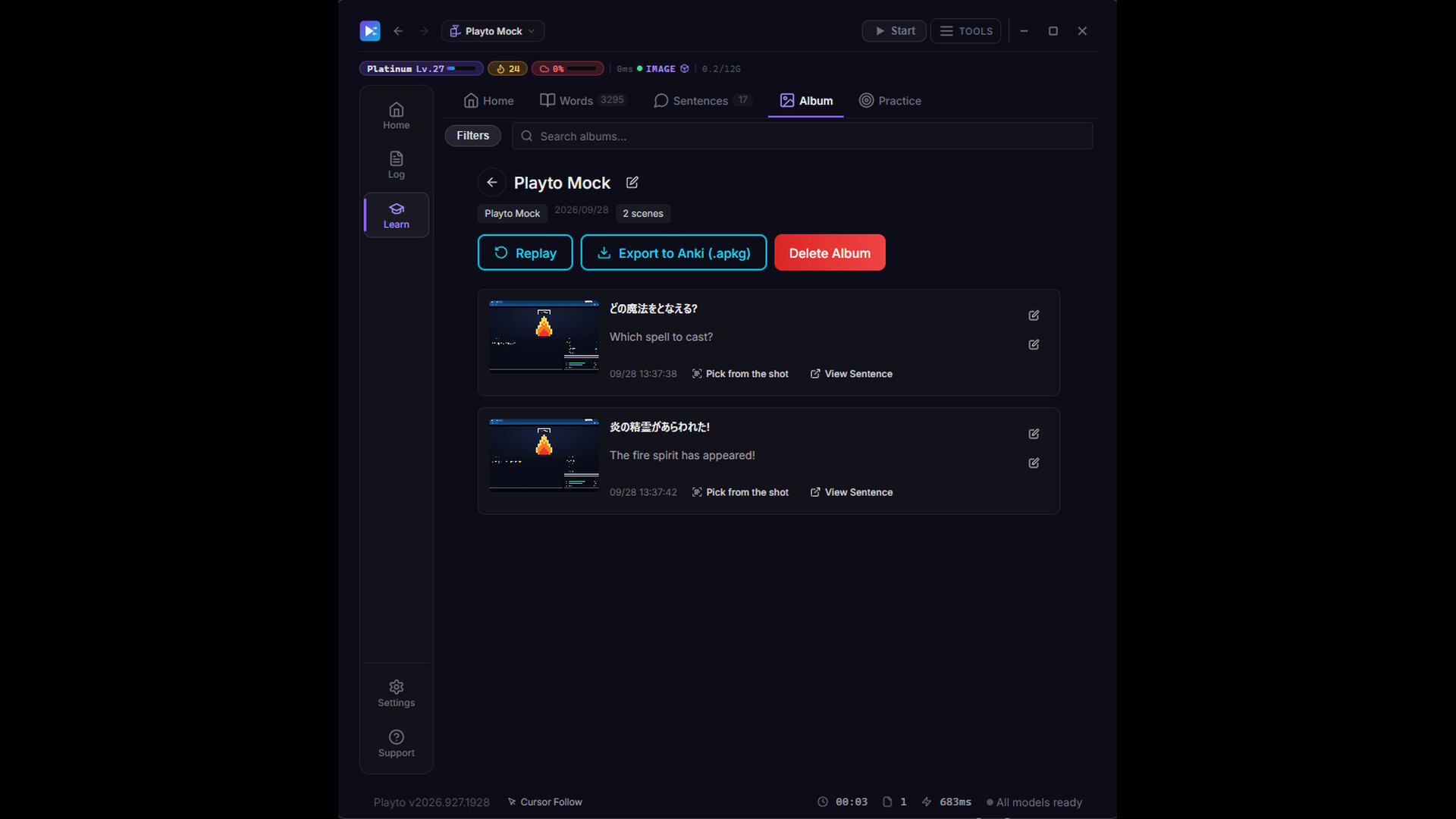
Words are easier to remember with the scene they appeared in — so Playto keeps the whole screen.
Keep the scene — The screen as you saw it, the original text and its meaning, saved scene by scene.
Review anywhere with Anki — Export the album in Anki format (.apkg) and review the scenes on your phone's Anki app or wherever you like. The Word Book exports as TSV, too.
Make it stick with review and quizzes
The words you kept, one more time before you forget them.
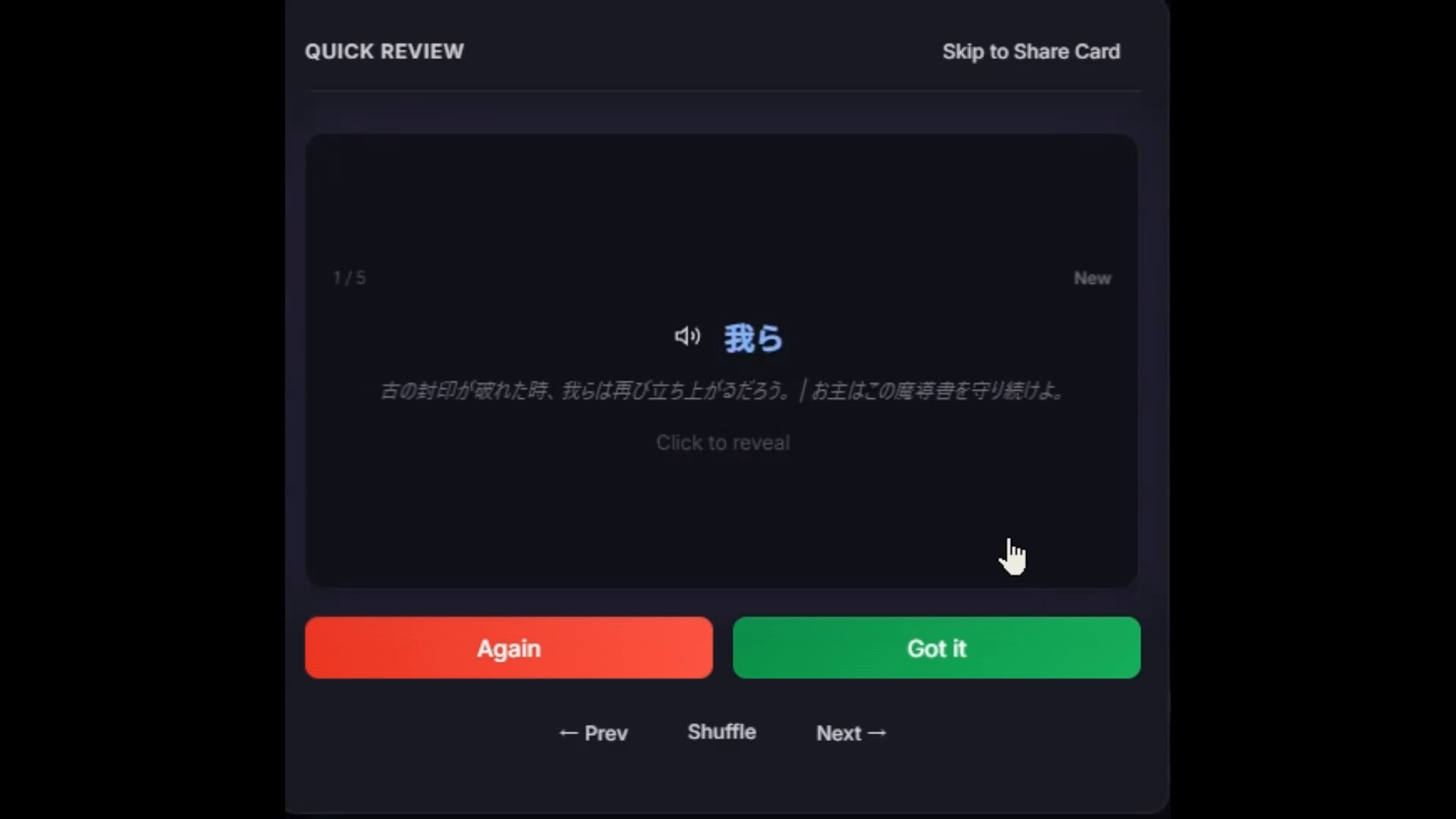
Reviewed before you forget — Saved words and sentences come up on a spaced-repetition (SRS) schedule that follows the forgetting curve.
8 quiz modes — Flashcards, multiple choice, fill-in-the-blank, dictation and more.
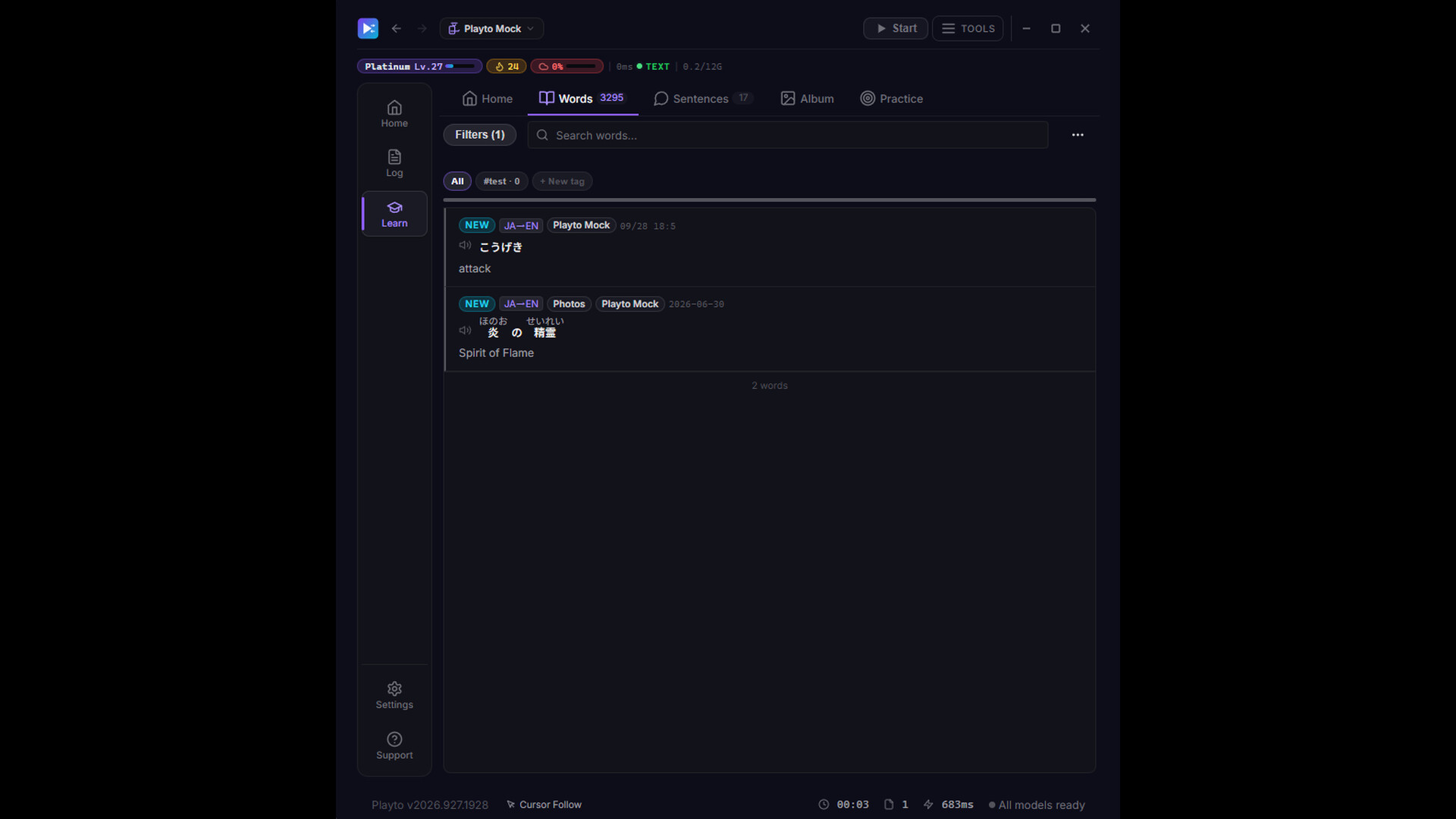
A dictionary of your own — Your Word Book grows with every game you play.
Two ways to read the screen
Pick the reading method to match how the game's text looks.
Text reading (Text) — Recognizes the characters on screen — fast and light. The one for everyday use.
Image reading (Image) — Hands the screen itself to an AI vision model. Decorative fonts, brush lettering, vertical text and lettering painted into the artwork can be read.
Everything goes to the log — Every translation shown is kept in the log to read back after you play. Switch methods at any time.
Game Audio (Beta)
Lines that never appear on screen can be study material too.
Voice lines become text — Spoken lines are transcribed and translated while you play, and collected in their own log. Save a line you like with its audio clip.
Only the game's audio — Your mic, music apps and voice chat are never captured.
Availability — Verified with Japanese and English. Paid edition, Windows 10 (2004) or later.
Playto Cloud (Beta)
Optional cloud translation for when your PC struggles to run a model, or when you want to start right away (off by default).
Start right away — Translate without waiting for the model download, with no load on your PC.
A large model translates — Line by line, by a large model. Not as fast as local translation on a PC with headroom to spare.
Image reading (Image) too — Press the shortcut key (F4 by default) and the whole screen at that moment is read, so the lines on it are translated together, in context. Each shot uses credits, so it runs only when you press the key.
In beta — Free trial credits included. If enough people ask, we'll consider one-time token packs or a subscription. See our privacy policy for what is sent.
More features
The ones that didn't fit above.
Translations on your stream (OBS) — Add the translations to your stream as an OBS Browser Source. Works with Game Capture.
Automatic log — Everything you encounter is recorded. Check a meaning or a reading any time.
Local first — Translation runs on your PC, and once the models are installed it works without an internet connection. Screen text leaves your PC only when you use Playto Cloud. Anonymous usage statistics are sent only if you agree.
23 languages — Chinese (Simplified), Chinese (Traditional), Czech, Danish, Dutch, English, Finnish, French, German, Greek, Hungarian, Italian, Japanese, Korean, Norwegian Bokmål, Polish, Portuguese, Romanian, Russian, Spanish, Swedish, Turkish, Vietnamese.
Before you start
System requirements, and what the first few minutes look like.
About a minute to set up — The translation model comes bundled. Only language pairs that include Danish, Finnish, Hungarian, Norwegian, Romanian or Swedish need a separate model download (2–6 GB).
Tutorial and guides — On first launch, a practice game walks you through reading, translating, saving and reviewing once. When you're stuck, there are 50+ in-app guides and in-app support.
Try Playto Lite first — Local AI needs GPU VRAM in addition to your game (typically 2–4 GB). Playto Lite is the free version — please confirm it runs on your PC. Playto Lite is Windows-only.
Text-to-speech — Available for English, Japanese, Spanish, French, Italian and Portuguese.
Linux (beta) — Standard edition only. Runs on 64-bit Linux with glibc 2.39 or later (Ubuntu 24.04 or equivalent, or newer). Some features differ by OS and by desktop (KDE / GNOME, Wayland / X11); see for what works where. Steam Deck is not supported.





![Mocap Fusion [ VR ]](https://shared.akamai.steamstatic.com/store_item_assets/steam/apps/1540000/header.jpg?t=1708146572)