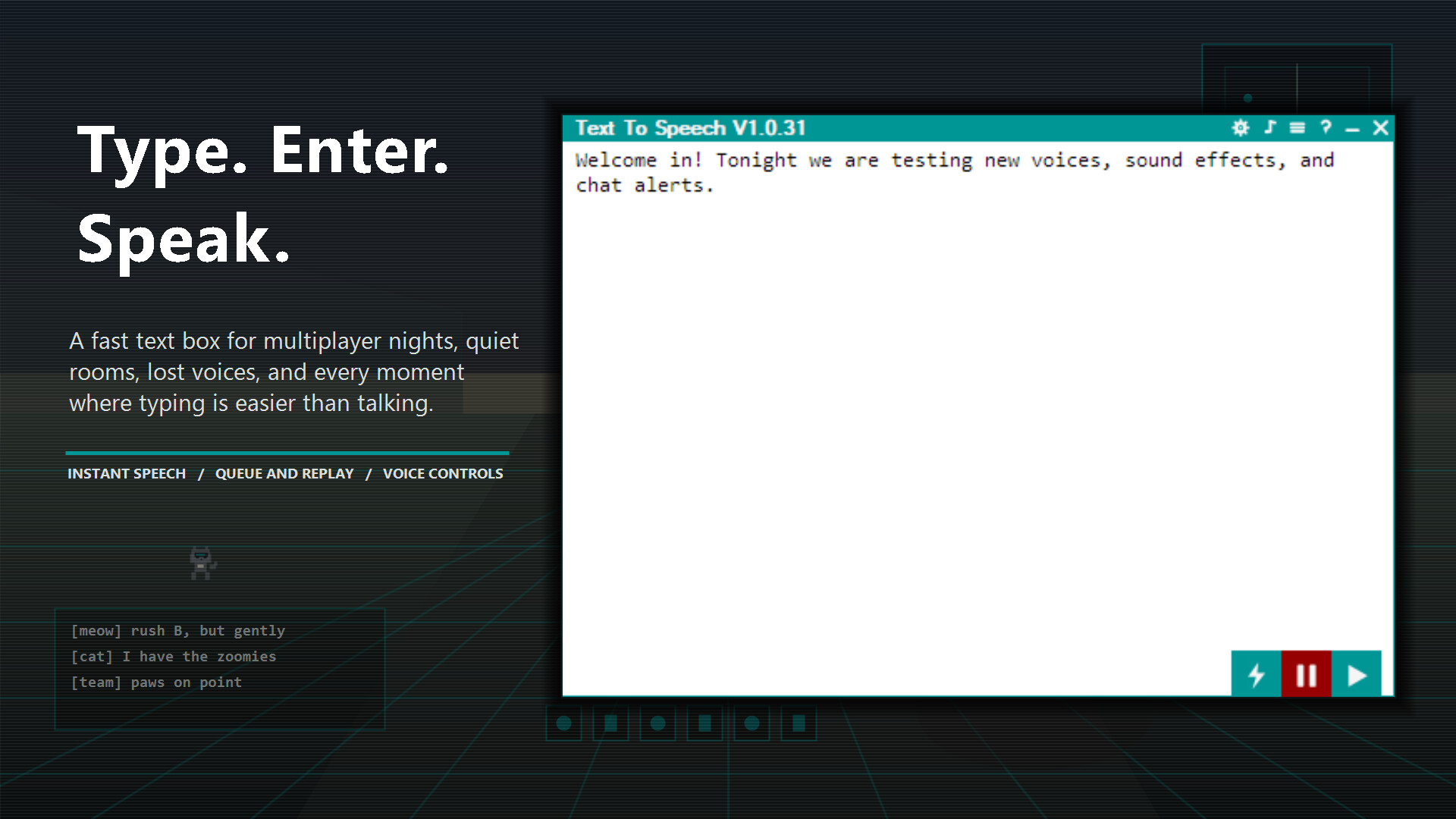
Cannot speak in multiplayer games or online chats? Type a message, press Enter and speak instantly through text-to-speech.
Whether your spouse is asleep, you have lost your voice to a winter cold, social anxiety has joined the lobby or you simply prefer typing over talking, Text To Speech is here to help. Built for games, streams and communities, it starts as a practical floating text box. Keep it simple or open more tools as you need them.
Queue messages, replay the last one or open your history to replay, copy and export useful lines as WAV files.
Become the keyboard warrior you were always meant to be.

Your everyday speech tools run locally on your computer. There is no monthly subscription and no separate app account.
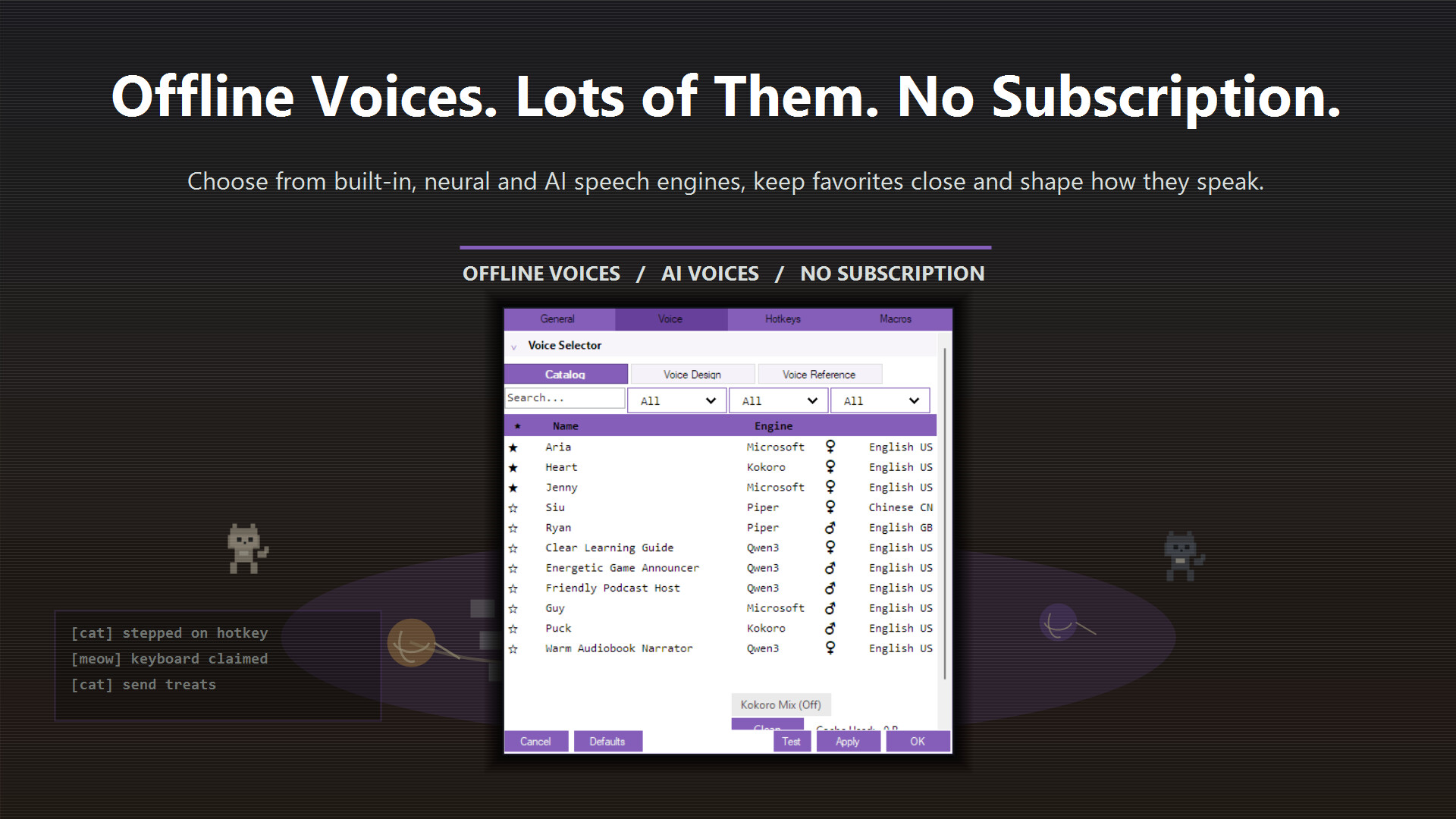
Use instant built-in Windows voices or download local neural and AI voices when you want them:
- Microsoft / Windows voices: Instant built-in voices, including support for 32-bit SAPI 5 voices.
- Piper: A broad library of downloadable offline neural voices.
- Kokoro: Fast, modern neural voices with voice mixing. Also supports the Kokoro 1.1 checkpoint, providing another 100 Chinese voices!
- Kitten: Lightweight neural voices with impressive quality.
- eSpeak NG: Classic robotic voices with exceptional language coverage.
- Qwen3: Local AI speech with Voice Design and Reference Voice support.
- Chatterbox: Expressive local AI speech with Reference Voice support.
- MOSS: Local AI speech with Reference Voice support, a Nano variant and Voice Design.
- Supertonic 3: Lightning-fast, compact on-device TTS across 31 languages, with stable reading and low resource use.
- VoxCPM2: Expressive speech across 30 languages with natural language Voice Design plus controllable voice cloning and studio quality audio.
- Pocket TTS: Extremely lightweight local Reference Voice across English, German, Italian, Portuguese and Spanish.
Keep favorites close, switch voices quickly and adjust pitch, speed, volume, mood, energy, effects and intensity until the result feels right.

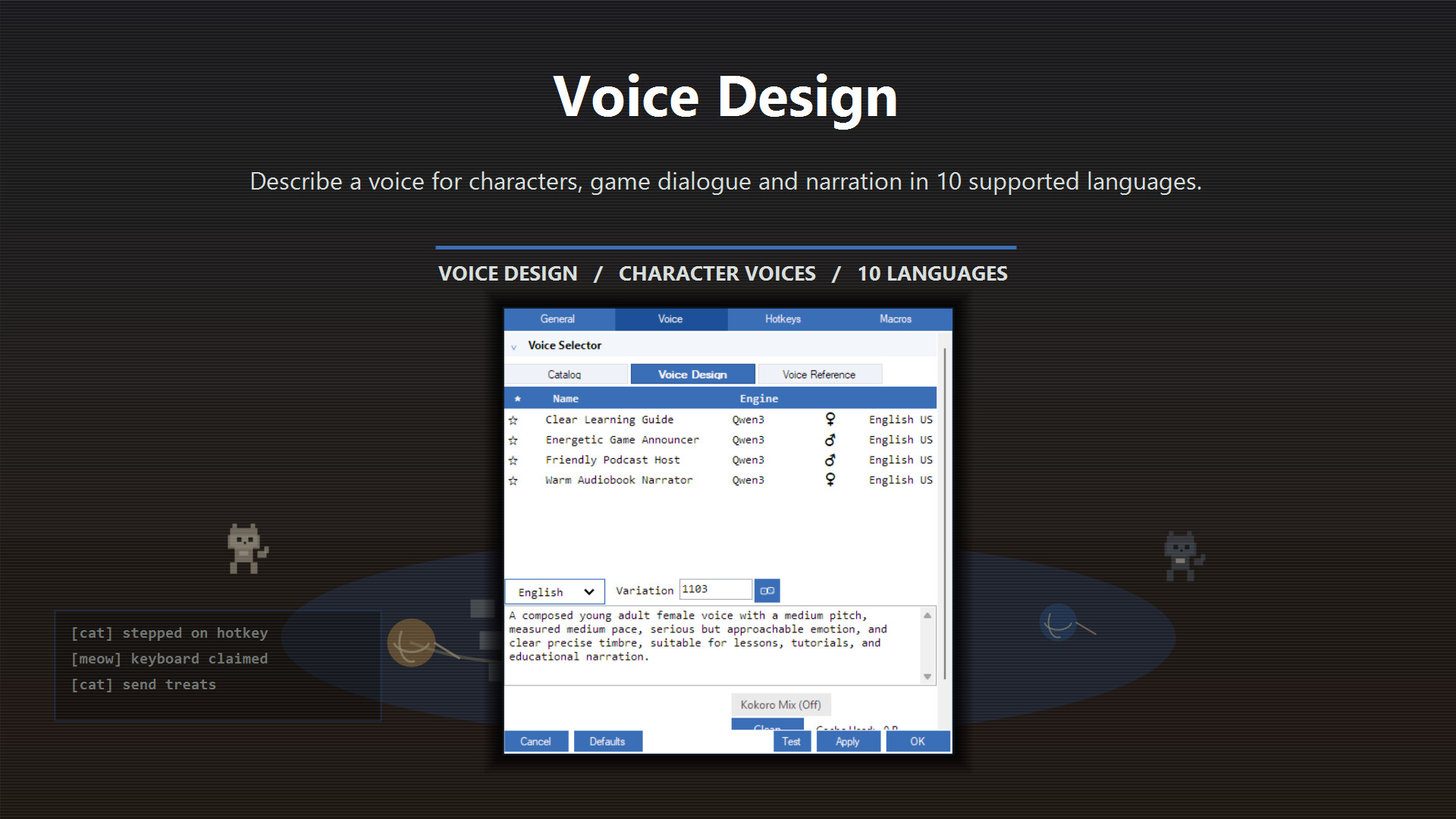
Describe the voice you want by age, tone, pace, emotion and purpose. Voice Design creates a new voice around your description, making it fast and practical to try ideas and refine a character locally.
Create distinct voices for game characters and dialogue, build a cast for a larger project, narrate videos or produce game voice-over without searching through a fixed voice library. Voice Design supports Chinese, English, Japanese, Korean, German, French, Russian, Portuguese, Spanish and Italian.
Reference Voice lets a recording you have permission to use guide the character and delivery of generated speech. Reuse a voice across scenes, give recurring characters a consistent identity or continue from a voice you have already developed. After the optional components are installed, generation stays on your computer.

Turn lyrics into a song with Text To Sing. Write the words, describe the sound you want and let local AI shape the melody and vocal performance—from a quick jingle to a character song.
Start with Auto melody, guide the performance with a hum or instrumental track, or transform an existing sung guide. With the optional Singing Voice Add-on, apply a selected TTS voice or permitted voice reference to the result. After the optional components are installed, generation stays on your computer.
Need a starting point? AI Assistance in the singing editor can refine your style prompt or turn a rough idea into structured, singable lyrics. Make a stream intro, a game character theme or a song for your cat’s big solo.

AI Assistance can rewrite a message before it speaks or before you copy it. Use ready-made instructions to fix grammar, make the wording professional or casual, shorten a long message, simplify it, translate it or adjust punctuation so it sounds more natural through text-to-speech.
For anything more specific, write your own instruction. Change the tone, translate into another language, add a joke or adapt the message to the situation. Choose a Fast, Balanced or Quality optional local model and review the rewritten result before using it.

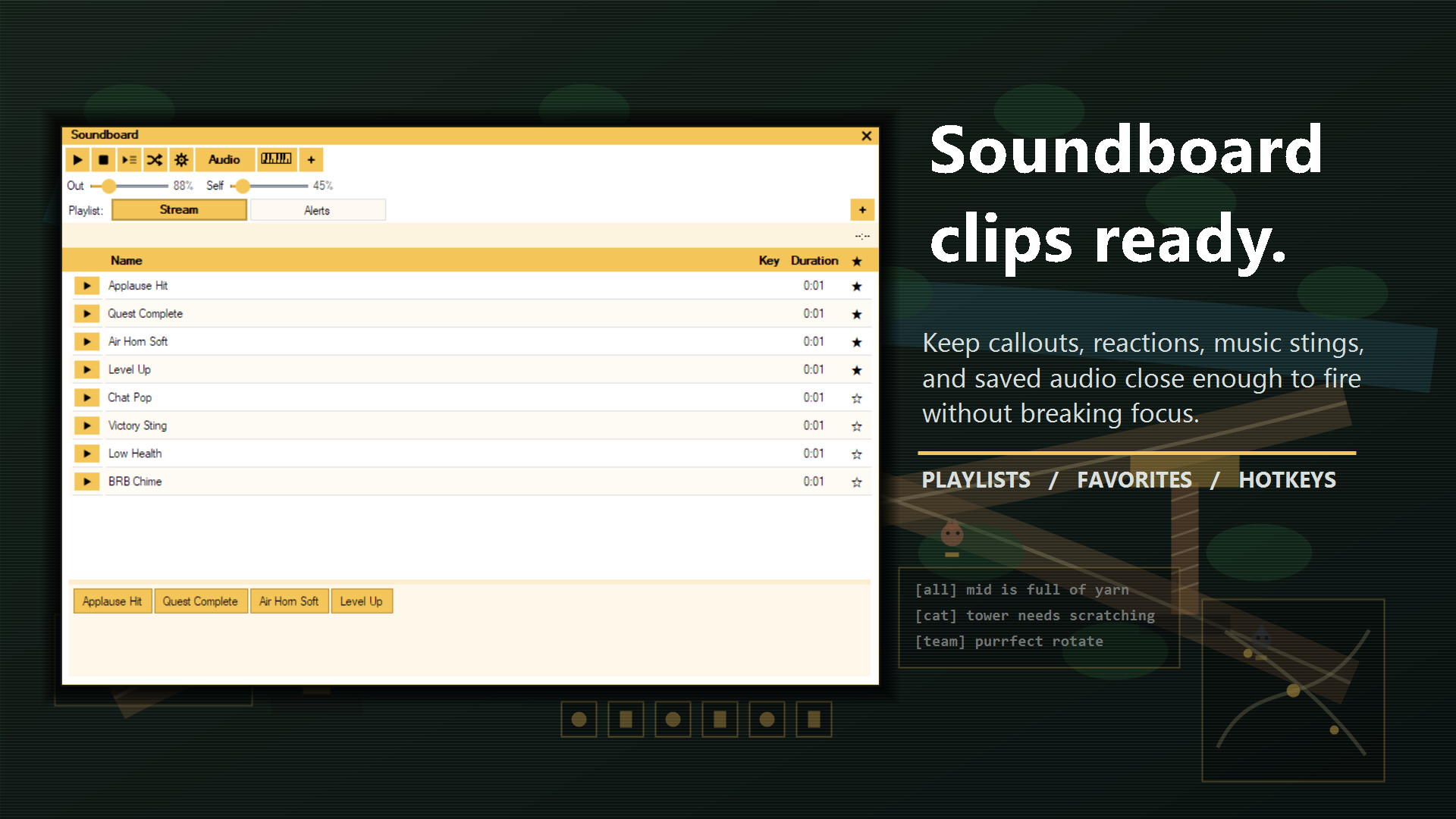
Record audio with a hotkey, trim the start and end, name the clip, apply voice effects and save it for later replay. Import sound files you have permission to use, organize clips into playlists, keep favorites close, assign hotkeys and manage the playback queue without breaking focus.
Capture a useful line, prepare a response or keep different soundboard layouts ready for different games and communities.

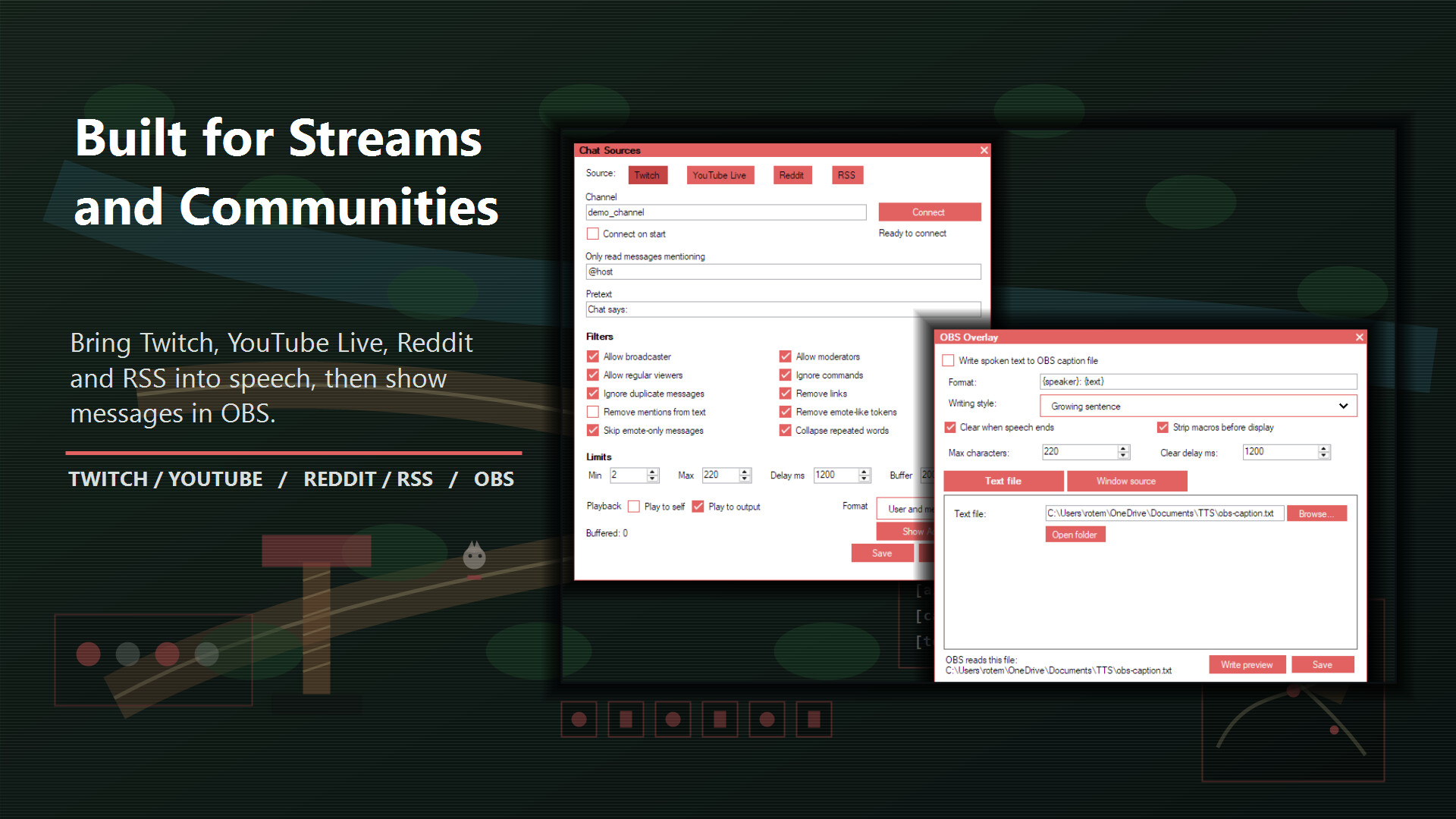
Connect Twitch, YouTube Live, Reddit or RSS and send approved messages into the normal speech queue. Filter commands, links, mentions, duplicates, repeated words, emote-only messages, unwanted content and spam before it reaches speech output.
Give chat its own voice or speed rules so it sounds different from your regular messages. OBS text and window sources can display growing sentences, reveal them one word at a time or show complete messages.

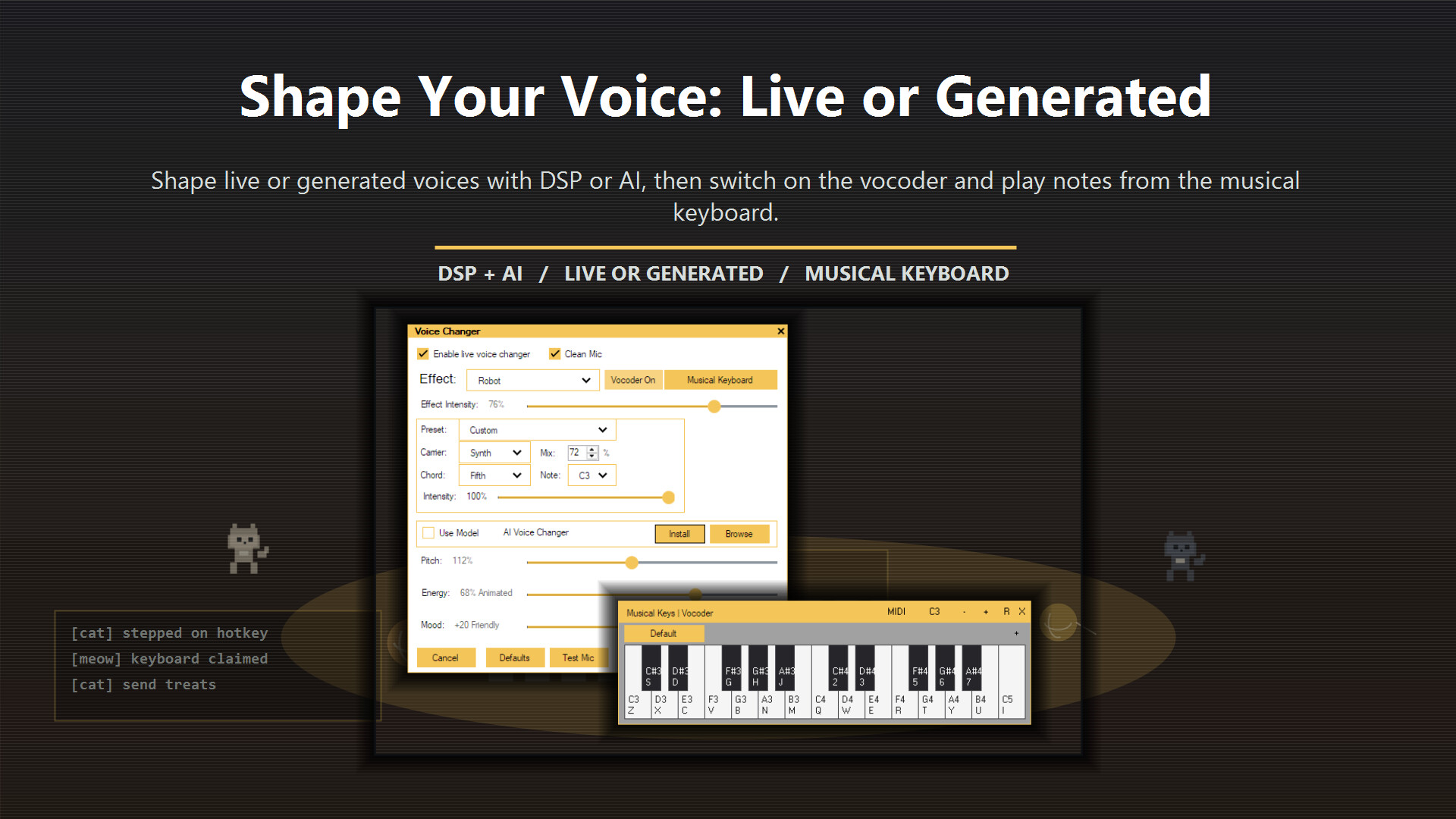
Shape generated speech or your live microphone with pitch, mood, energy, effects and intensity. Use the built-in DSP voice changer or an optional AI voice changer for live microphone audio and generated speech. Only use voice models you have permission to use.
Switch on the vocoder for robotic transmissions, choirs, bass-heavy declarations or whatever else the match requires. Choose a carrier style, note, chord and mix level for generated speech or your live microphone.

Macros can trigger phrases, play audio files or repeat messages with one key press. Hotkeys let you speak, pause, stop, skip, repeat, manage reminders and move between macro pages while the match continues.
Keyboard, mouse and controller bindings keep common actions close, including Xbox, Steam Input and PlayStation controllers. Recurring spoken reminders can track cooldowns, buff timers or anything else you should not forget mid-round.

Open the musical keyboard to perform vocoder notes in real time. Assign soundboard clips and play them at different pitches, turning one sound effect into a tiny instrument.
Keep different keyboard layouts ready for different games, communities or questionable musical ambitions.

- Mixer: Combine microphone audio, generated speech, soundboard clips and application audio.
- Audio Lab: Record, trim, process and export clips with gain, EQ, normalization, compression, limiting, mono mixing and voice-band focus.
- Speech enhancement: Use the optional local Resemble Enhance component to denoise and improve permitted speech recordings.
- Speech history: Replay, copy or export useful spoken lines as WAV files.
- Per-app controls: Load different macros and wake-up behavior for different games or programs.
- MIDI playback: Cache and play supported MIDI files with smooth time-bar navigation.
- Pet Overlay: Add a small on-screen companion to your desktop or stream.
- Installation Manager: Download, repair and manage optional voices, voice collections and local AI components.

To route audio to other software, including games, voice chat or streaming tools, you may need to install VB-CABLE as a virtual audio device. Text To Speech provides guided, automated setup in both the full app and the demo.

As a gamer with social anxiety, I originally programmed this tool to help myself socialize and enjoy gaming more fully. I have used it personally for several years, shaped around the small but very real challenges of gaming while relying on text-to-speech.
The important part is being able to join the match, the call, the stream or the late-night chat with friends.